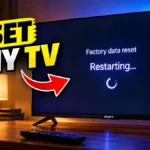
If your Sony Google TV is running slowly, apps are not working properly, the TV is having software problems, or you simply want to start fresh, a factory reset can restore the TV to its default settings.If your main problem is a slow, lagging or freezing Sony Google TV, you can first try these ways to make your Sony Google TV faster before performing a factory reset.In this guide, I will show you how to reset a Sony Google TV from the TV's Settings menu. The steps below are based on … [Read more...]
How to Eject USB Drive from Sony Bravia Google TV Safely
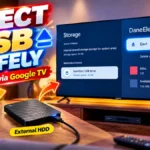
If you have connected a USB flash drive to your Sony Bravia Google TV to watch movies, view photos, or play music, you may wonder how to safely remove it when you're finished.Simply pulling the USB drive out of the TV isn't the best habit, especially if the TV is still accessing the drive.Fortunately, Sony Bravia Google TV has an Eject option in the Storage settings. You can use it to safely disconnect the USB drive before physically unplugging it from the TV.In this guide, I'll … [Read more...]
How to Install and Uninstall Apps on Sony Google TV
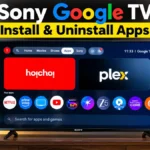
Sony Google TVs let you turn your television into much more than a device for watching cable channels and live TV. You can install streaming services, music apps, games and other compatible apps directly on the TV.If you have recently purchased a Sony BRAVIA Google TV, you may be wondering where to find apps, how to install a new app, or how to remove an app you no longer use.The good news is that the process is fairly simple. In this guide, I'll show you how to install and uninstall … [Read more...]
How to Activate BSNL Free OTT Subscription on BSNL Fibre Broadband
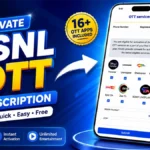
BSNL Fibre Broadband offers free OTT subscription benefits with selected broadband plans. Customers subscribed to eligible plans such as Fibre Value OTT, Super Star Premium Plus OTT, and Super Plus OTT can access bundled OTT services at no additional cost.However, many BSNL Fibre customers may be unaware of how to activate these free OTT subscriptions. The OTT bundle activation process is also not always clearly explained, making it difficult for new customers to get started.If you … [Read more...]
How to Separate Front and Rear Dashcam Videos on PC Without Selecting Files One by One
If you use a front and rear dashcam, you may have noticed that the recordings from both cameras are stored together on the microSD card. When you copy the footage to your Windows PC, finding only the front camera videos or only the rear camera videos can become a tedious job.For example, VIOFO dashcams commonly use file names ending in F for the front camera and R for the rear camera. Depending on the model, you may see files such as: 20240101_120000_F.mp4 and … [Read more...]
- « Previous Page
- 1
- 2
- 3
- 4
- …
- 63
- Next Page »