Many iPhone users have reported excessive battery drain after updating to iOS 26.2. If you are also experiencing unusually fast battery drain on your iPhone after installing this update, there is no need to panic. Apple provides an official method to check your battery health and receive performance recommendations that can help reduce battery drain.
Below is a step-by-step guide to identify battery-related issues and apply Apple’s suggested fixes to improve battery performance on iOS 26.2.
Fix iOS 26.2 Battery Drain Issue
To fix the battery drain issue on your iPhone running iOS 26.2, follow the steps carefully below:
Open the App Store on your iPhone.
In the App Store search bar, type Apple Support and look for the official Apple Support application.
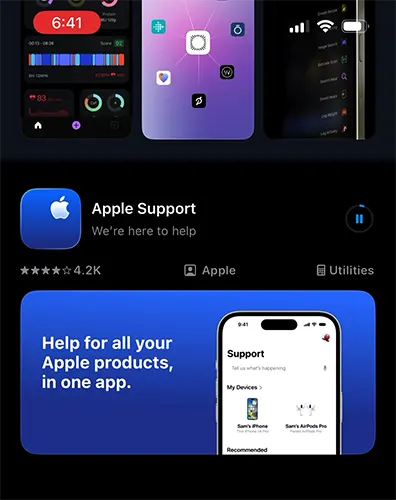
Install the Apple Support app on your iPhone if it is not already installed.
Once the installation is complete, launch the Apple Support app.
For the first time the app will greet you with Welcome to Apple Support, tap on the Continue button appearing below.
On the next screen it will ask you permissions to improve search feature, here you may allow or not allow as per your preference.
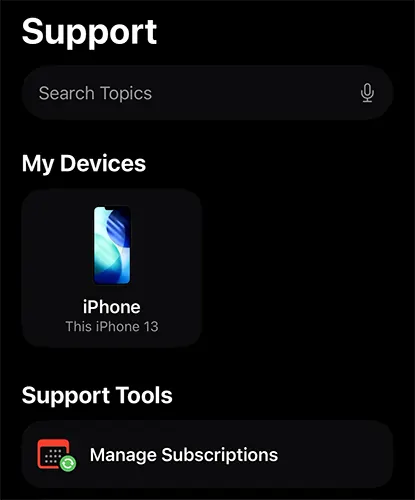
On the homepage of the Apple Support app, look for the My Devices section and tap on your iPhone, which will be displayed there.
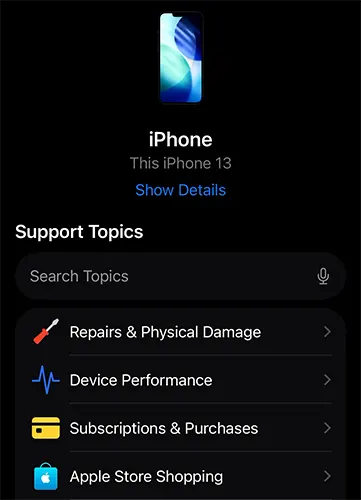
After selecting your iPhone, you will see multiple support topics. From these options, tap on “Repairs & Physical Damage.”
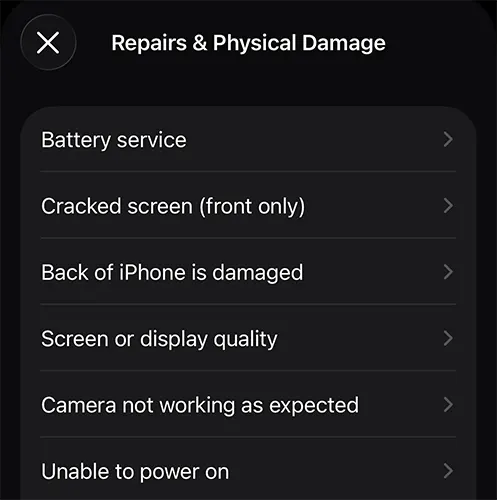
Under Repairs & Physical Damage, tap on Battery Service.
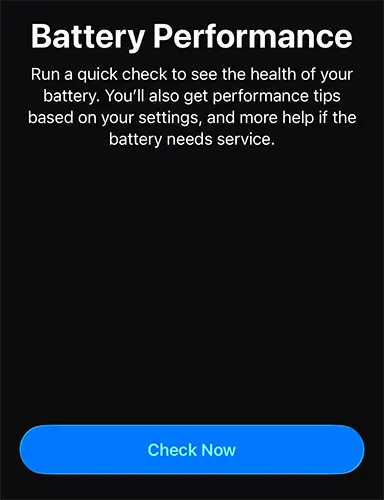
This will open the Battery Performance page. Here, tap on the “Check Now” button.
The app will now perform a quick battery diagnostic check. This process takes only a few seconds and helps determine the health and performance of your iPhone battery.
Once the check is completed, the app will display: Your battery health status, The battery performance condition, Personalized performance tips based on your current iPhone settings
If the battery performance status shows Normal, it means your battery is in good condition and does not require service.
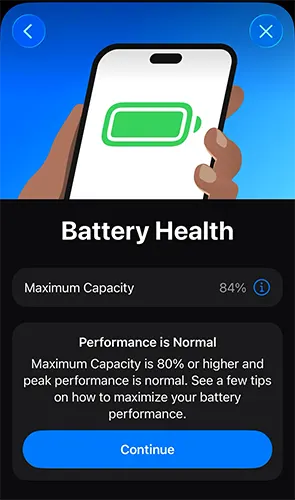
Tap on the Continue button that appears after the test to view additional tips on how to maximize battery performance.
On this page, you will see recommendations to extend battery life, such as:
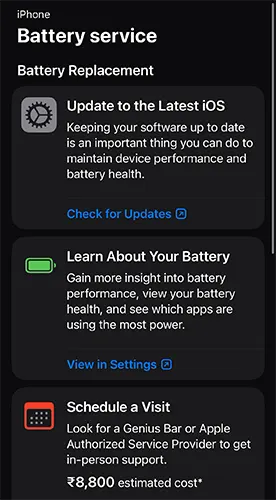
Turning on Auto-Brightness, Setting a shorter Auto-Lock time, Updating iOS to the latest available version, Adjusting background app activity and other system settings
If the app suggests any actions to improve battery life, it is recommended that you follow and apply those suggestions to reduce battery drain.
By following these steps, you can run a complete iPhone battery test for free using Apple’s official support tool. This helps you determine whether your iPhone battery is healthy or if it requires service, and also provides practical tips to improve battery performance on iOS 26.2.
Yes the battery drain issues in iOS 26.2 may be rectified in future updates of iOS like iOS 26.3.1 has improved the battery backup time.

Leave a Reply