• Home
  • About
  • Contact Us
  • Privacy Policy

Reveal That

Powered by Technology & Internet

  • Internet & Online Tools
  • Computer / Tech Tutorials
  • Tools
    • Case Converter Upper Lower Title Sentence Caps
    • HEIC to JPEG
    • Car Android Boot Logo Generator
    • Viofo Dashcam Video Combiner
    • Viofo Dashcam Organizer

How to Convert Windows Contact to CSV or Vcard (VCF)

Written by:
Vjay
Published on:
April 13, 2020
Thoughts:
No comments yet

Do you want to Convert Windows .Contact to CSV or Vcard (VCF)? Are you looking around on How to Convert Windows Contact to CSV or Vcard (VCF) than by reading this guide you will easily able to convert .contact file format to CSV or Vcard (VCF).
Convert Windows Contact to CSV or Vcard (VCF)

.Contact File is a contact database file in which email id, name, mobile number, address etc. is stored. But when you want to move those .contact files to other device it becomes difficult as some of the devices becomes unable to recognize the contact file format as they can only recognize file formats like CSV or Vcard (VCF) so at this time if you want to convert .contact file to CSV or Vcard (VCF) we have solution for you to easily convert all those .contact files to CSV or Vcard (VCF). To Convert Windows .Contact to CSV or Vcard (VCF) there is no need of any third party software, you will only need Windows 7, Windows 8, or Windows 8.1, below steps will explain to you how to convert windows contact to CSV or Vcard (VCF).

Convert Windows Contact to CSV or Vcard (VCF)

  • Open Contacts Folder which you will find the logged in user folder.
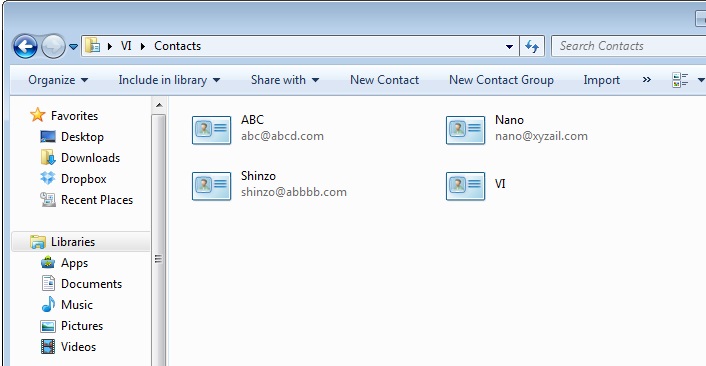
Contacts
  • Select All Contacts from the contacts folder and on top you will find export button click on export button.
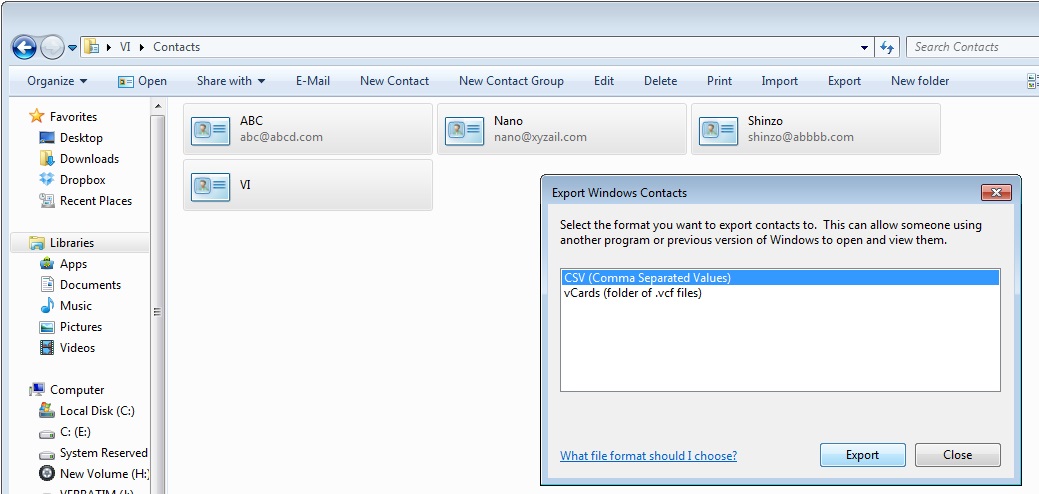
Export Windows Contacts
  • Select the file format which you want to save from option file formats CSV or vCards (VCF) and click on export.
  • And then select the location where you want to save the output file that is converted files.
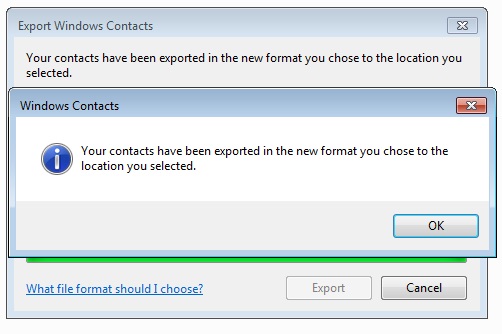
Windows Contacts Exported
  • You have successfully finished converting Windows Contact to CSV or Vcard (VCF) it’s that simple.
  • This was just an inbuilt feature in Windows 7, Windows 8, and Windows 8.1 which allows to convert .contact to VCF or CSV file formats, which you was unaware about.
Join us on Telegram

Categories: Computer / Tech Tutorials

About Vjay

Vijay is the founder of RevealThat.com, sharing practical and easy-to-understand content on technology and internet-related topics since 2015. His work focuses on real-world solutions that help users make better use of technology. Connect via the Contact Us page.

Leave a Reply Cancel reply

Your email address will not be published. Required fields are marked *

eight + twelve =

RECENT POSTS

How to Update SBI KYC Online in 2026 (Step-by-Step Guide Without Visiting Branch)

How to Cancel ICICI Card Standing Instructions (Auto Debit) Online for Credit & Debit Card

How to Apply and Download a Digitally Signed Survey Plan Online in Goa

How to Convert a Picture to PDF on iPhone Without Any App

NYT Sudoku Answers Today: Easy, Medium & Hard Solutions

Amazon Quiz Answers Today: FunZone Quiz Answers

NYT Connections Answers Today: Hints & Solutions

Wordle Today Answer: Hints & Solution

Spelling Bee Answers Today: Hints, Pangram & Solutions

Letter Boxed Answers Today: Hints & Solution

© 2026 · RevealThat.com · Sitemap · All trademarks & logos belongs to their respective owners

Jai Mata Di

ॐ ऐं ह्रीं क्लीं चामुण्डायै विच्चे|