SIR (Special Intensive Revision) is an electoral roll update process initiated by the Election Commission of India (ECI). Completing the SIR process ensures accurate and transparent voter registration across the country.
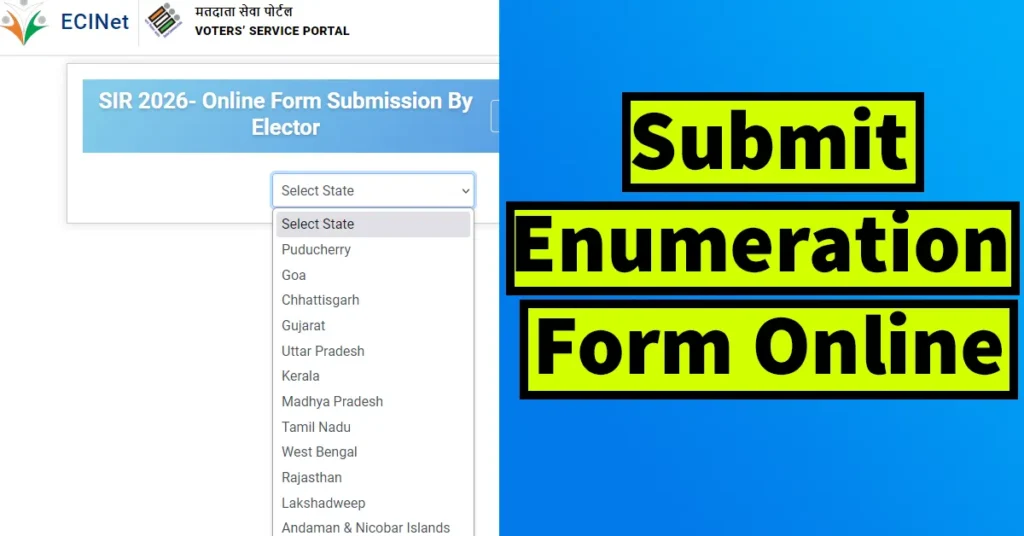
Table of Contents
Why SIR Needs to Be Completed?
SIR has been introduced to improve the quality of the electoral roll and ensure the correctness of voter details.
Reasons Why SIR is Important
As per law, electoral rolls must be revised before every election or as required.
Political parties have recently raised concerns about the quality and accuracy of electoral rolls.
SIR has been conducted only 8 times between 1951 and 2004.
The last SIR was conducted more than 21 years ago (2002–2004).
Major changes in electoral profiles have occurred due to:
- Frequent migration of citizens
- Voters getting registered in more than one place
- Non-removal of deceased voters
- Wrongful inclusion of foreigners
Every elector in India must complete the SIR process. The Enumeration Form can be submitted both online and offline through the BLO (Booth Level Officer). The online method is the simplest, but the mobile number must be linked with the elector’s EPIC (Voter ID).
If the mobile number is not linked, you must first fill Form 8 to link your mobile number with EPIC.
Step-by-Step Guide to Fill Enumeration Form Online
Go to the official Voter’s Service Portal https://voters.eci.gov.in/
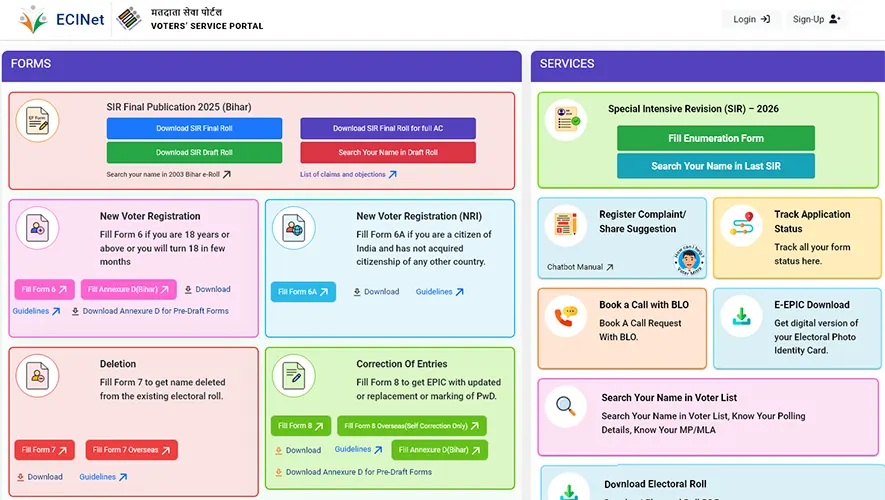
From the homepage, click on “Fill Enumeration Form” under Special Intensive Revision (SIR) – 2026.
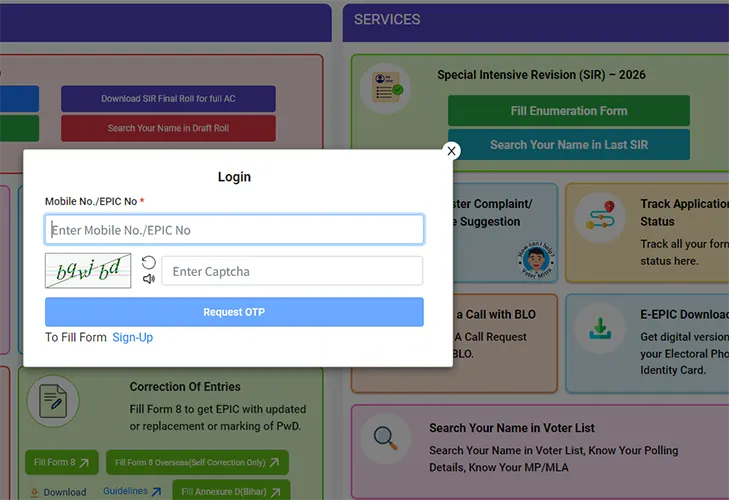
Enter your mobile number or EPIC No. (if entering mobile then enter the same number linked to your Voter ID).
Solve the captcha and click Request OTP.
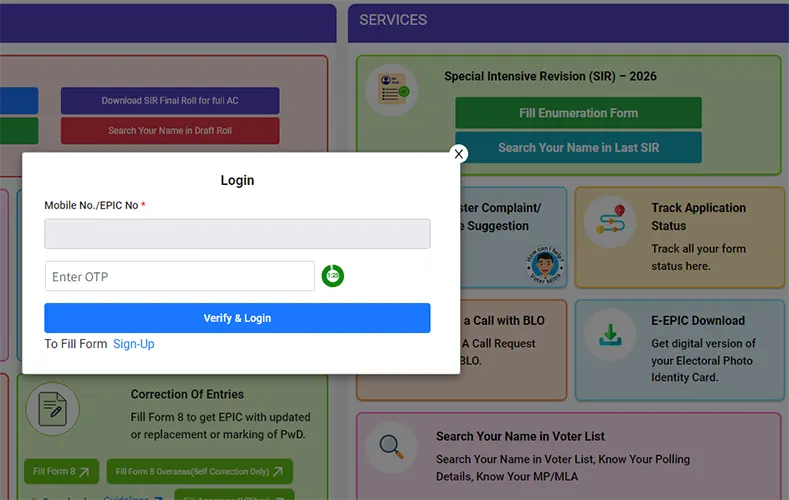
Enter the OTP received via SMS and click Verify & Login to log in.
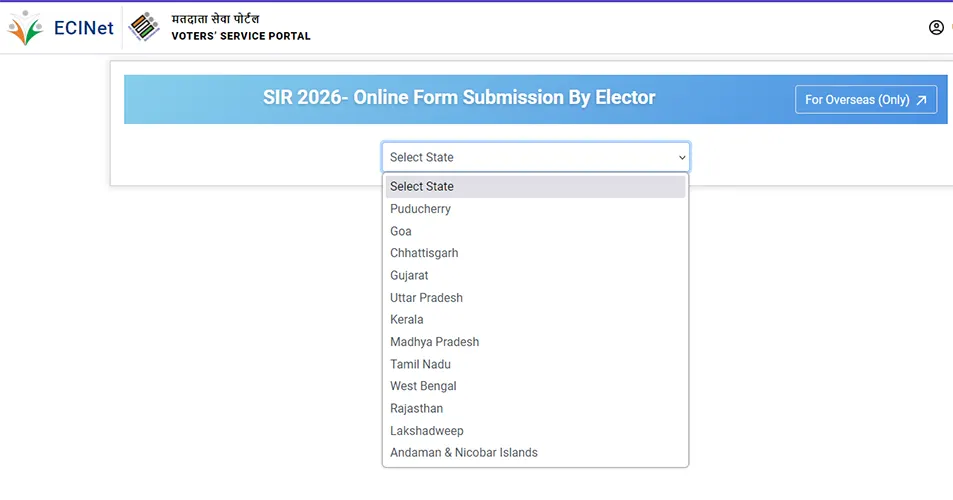
Select your State from the list.
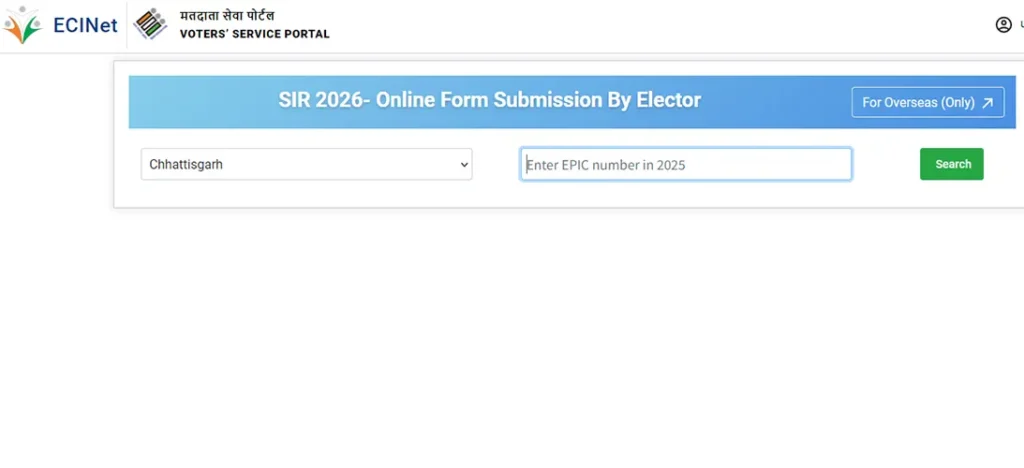
Enter your EPIC Number (Printed on your Voter ID Card).
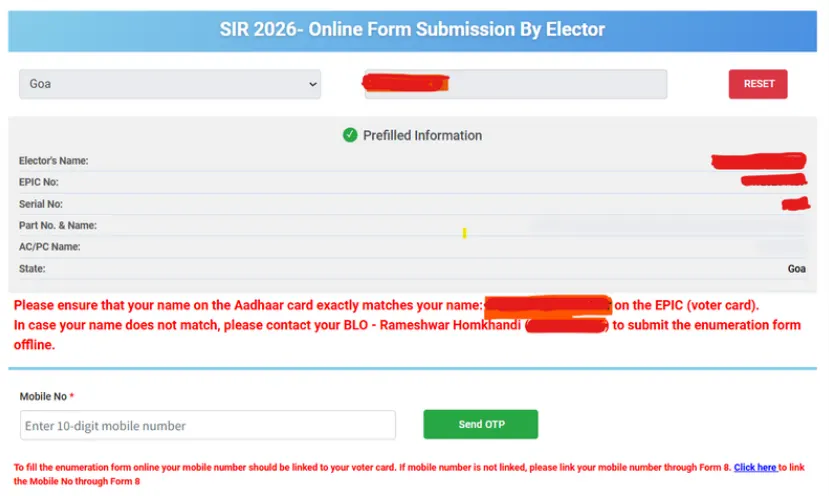
Click Search to display your voter details.
Enter your mobile number again and click Send OTP.
Enter the received OTP and click Verify OTP.
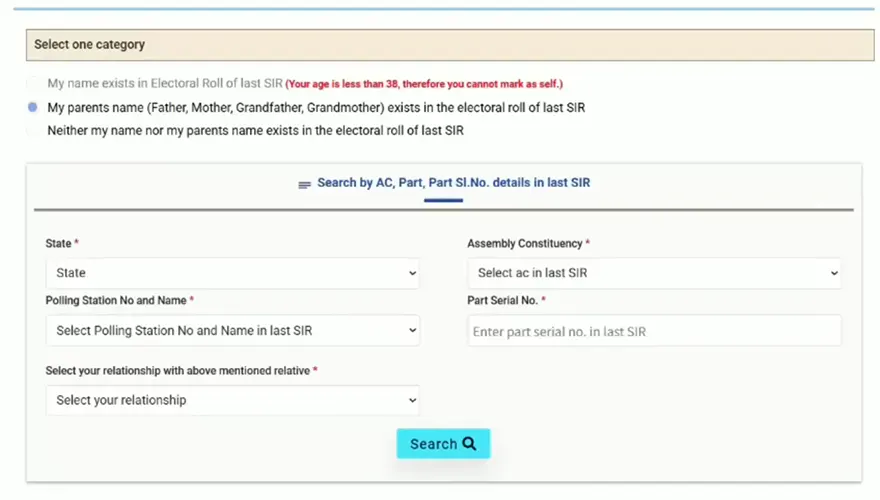
Select one of the following options:
- My name exists in the electoral roll of the last SIR
- My parent’s name (Father/Mother/Grandfather/Grandmother) exists in the electoral roll of the last SIR
- Neither my name nor my parent’s name exists in the electoral roll
To verify last SIR details, go to the homepage and click “Search your name in Last SIR”.
Search by Search in last SIR E-Roll by Selecting State → District → Assembly Constituency → Polling Station No. & Name to search or Search by Elector Details by selecting State → Assembly Constituency → Polling Station No. & Name → Section No. and Name → Part Serial No. → Elector Full Name in last SIR → Elector Age ( Indicative ) → Relative Type → Elector Relative Full Name, Solve the Captcha Code and hit on Search button.
If you have entered details correctly then below you will be able to see the result, search for your name or parents name. Note down their details or keep this page open and proceed with the submission of the form, where you will need to feed in these details as appearing in your last SIR.
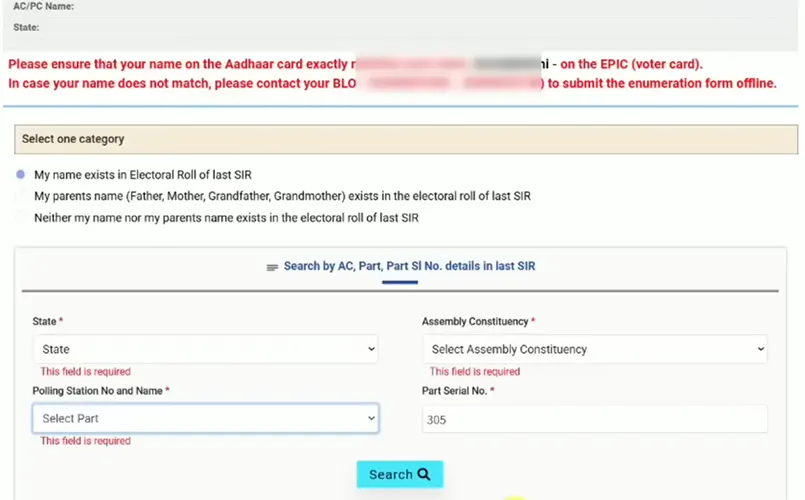
If you have selected My name exists in the electoral roll of the last SIR or My parent’s name (Father/Mother/Grandfather/Grandmother) exists in the electoral roll of the last SIR then you will be prompted to select and fill in the details like State, Assembly Constituency, Polling Station No. and Name, Part Serial No., and Select your relationship with above mentioned relative. (you need to enter these details as per its appearing in last SIR which you recently searched, so refer to those details and enter it correctly)
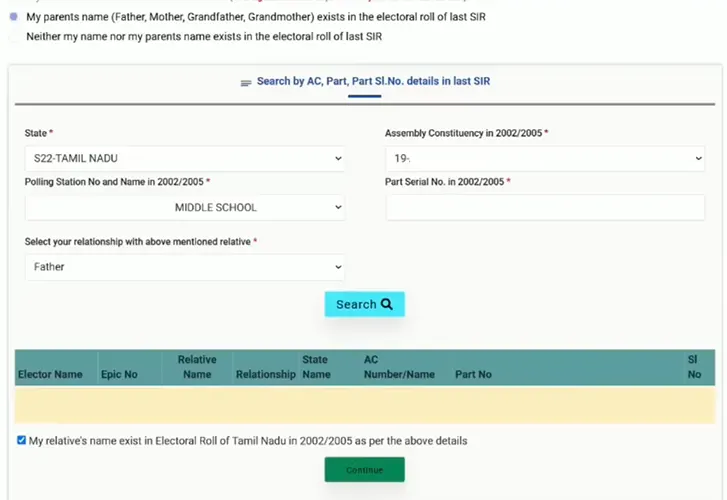
Once entering the details hit on search button.
Tick mark on My relative’s name exist in Electoral Toll of as per the above details and click on Continue button.
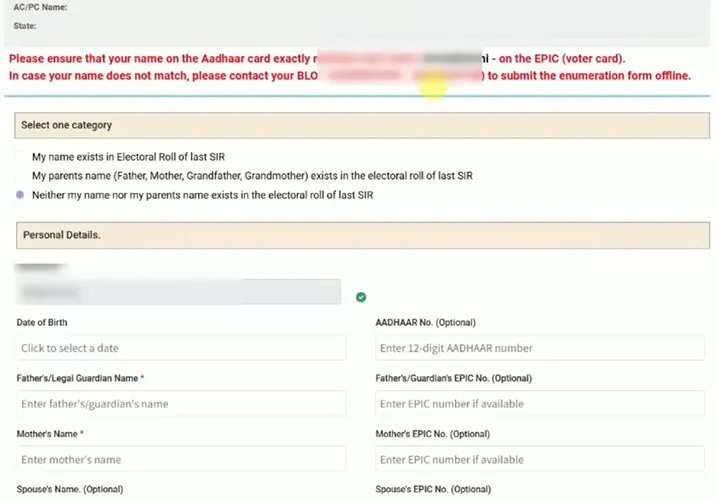
If your name or parents name or relatives name was not present in last SIR then select Neither my name not my parents name exists in the electoral toll of last SIR. On Selecting this option you don’t need to provide any last SIR details of relatives or parents. And you will be moved to the next step.
Next you will be able to see Personal Details Section, here your mobile number will be displayed and below you will need to select and feed in details like your DOB, 12 digits Aadhaar Number, Father’s/ Legal Guardian Name, Father’s / Guardian’s EPIC Number, Mother’s Name, Mother’s EPIC Number, Spouse Name, Spouse EPIC Number, Place of Submission.
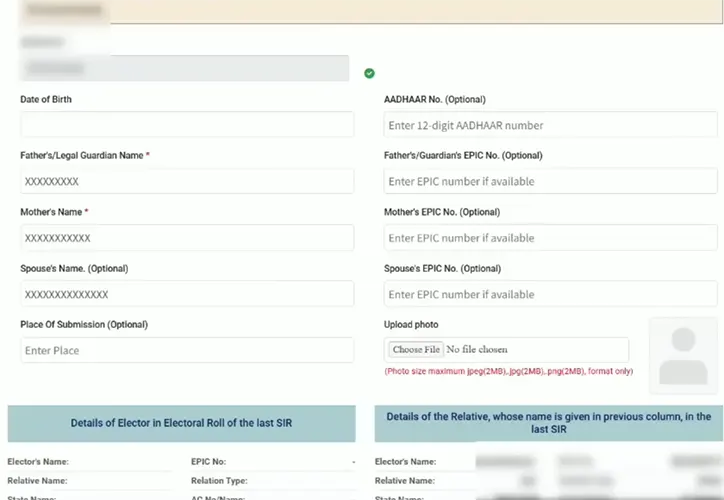
Then you will need to upload your passport size picture, make sure the uploaded file size should be below 2 MB and the format of the file should be in JPG, JPEG and PNG.
Choose the file, select your passport size picture from your device
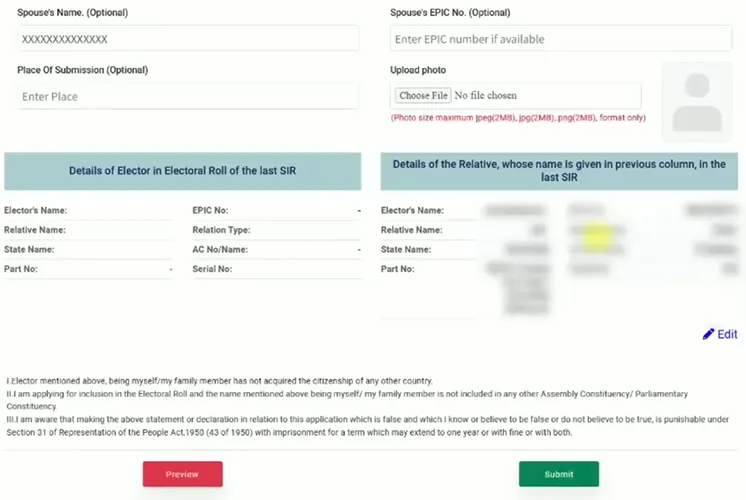
Verify all fields Scroll down the page and click on the Submit button
Next you will need to eSign your submission of form by completing Aadhaar Authentication.
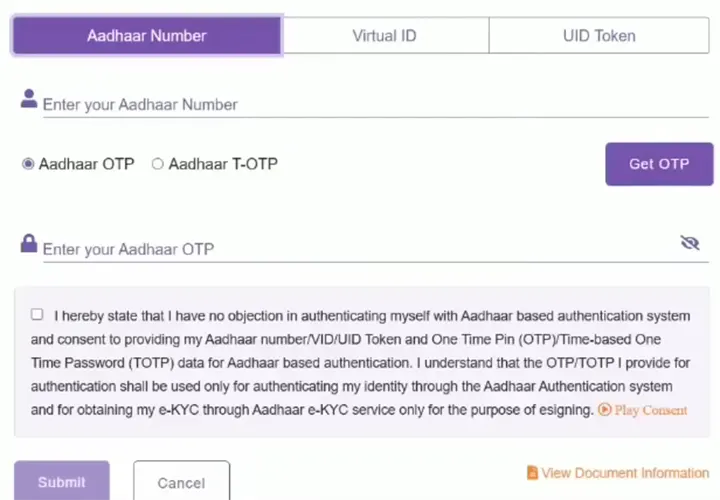
Enter Aadhaar Number or VID or UID Token
Click Get OTP
Enter the received OTP, tick mark on the consent and click Submit
After Aadhaar verification, you will receive your enumeration form has been submitted successfully message with acknowledgement
You can take screenshot of this acknowledgement and store it on your device for future reference purpose.
You will also receive message on your mobile number regarding the successful submission of the enumeration form.
You have now successfully submitted your Enumeration Form online and you don’t need to do anything now.
If you want to submit the Enumeration Form for your parents or spouse, repeat the same steps for each person.
Completing the SIR 2026 Enumeration Form is mandatory for every elector to ensure clean, accurate, and updated electoral rolls. The online submission process is simple and can be completed within a few minutes, provided your mobile number is linked with EPIC.

Leave a Reply