Want to stay protected against Coronavirus disease (COVID-19)? then it is strongly recommended to get yourself vaccinated. Getting yourself vaccinated not only decreases the chances of getting infected with COVID-19 but nowadays the COVID Certificate is been asked while traveling.
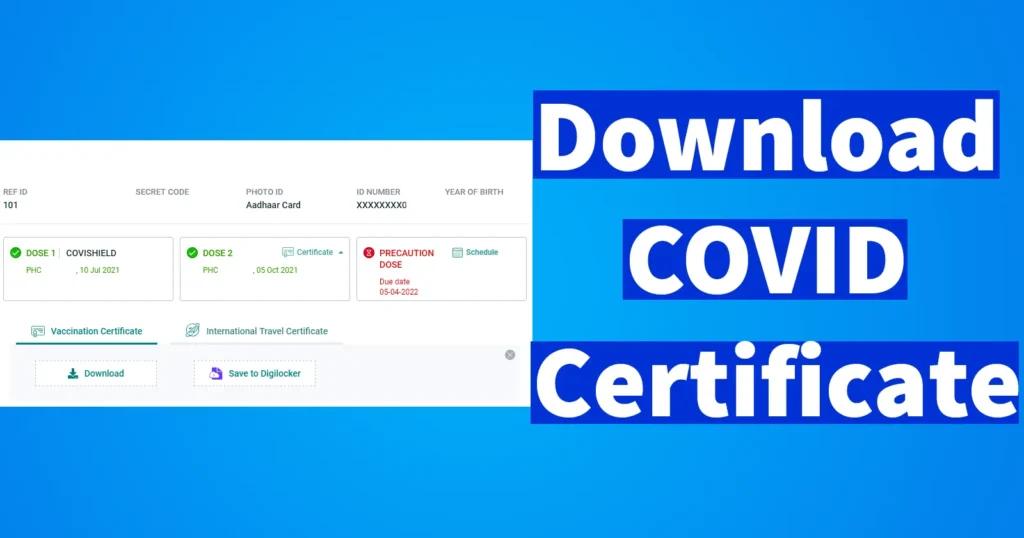
The COVID Vaccine Certificate is proof or a record that the concerned person is vaccinated with COVID-19 doses whether he or she may have completed the first dose or both the doses. The COVID Vaccination Certificate gets instantly generated once you get yourself vaccinated, and that’s the reason while registration your Aadhaar Number or any other identity proof document and Mobile Number is asked.
The COVID-19 Vaccination Certificate is issued to every vaccinated person irrespective he or she has been vaccinated at a Private Hospital by paying or at Government Health Centers for free.
The vaccinated people can access their COVID Vaccination Certificate anytime from the official cowin.gov.in website by entering their mobile number, also there are other numerous methods that allow one to download their COVID Certificate. So below we have explained the complete process of Covid Certificate Download.
| Service Type | Cowin Certificate / Covid Certificate Download |
| Requirement | Mobile Number |
| File Format | |
| Fee | Free |
| Download Channel | cowin.gov.in website / WhatsApp / DigiLocker |
| Official Website | https://www.cowin.gov.in/ |
Once getting vaccinated you will receive the below SMS on your phone:
Dear XXXXX, You have been vaccinated with the first/ second dose with COVIDSHIELD/ COVAXIN/ Sputnik on XX-XX-XXXX at XX:XX PM. You may download your vaccination Certificate from https://www.cowin.gov.in/ – CoWIN
Table of Contents
COVID Vaccine Certificate Download
To download your Covid 19 Certificate visit the one and only official of the Government of India https://www.cowin.gov.in/
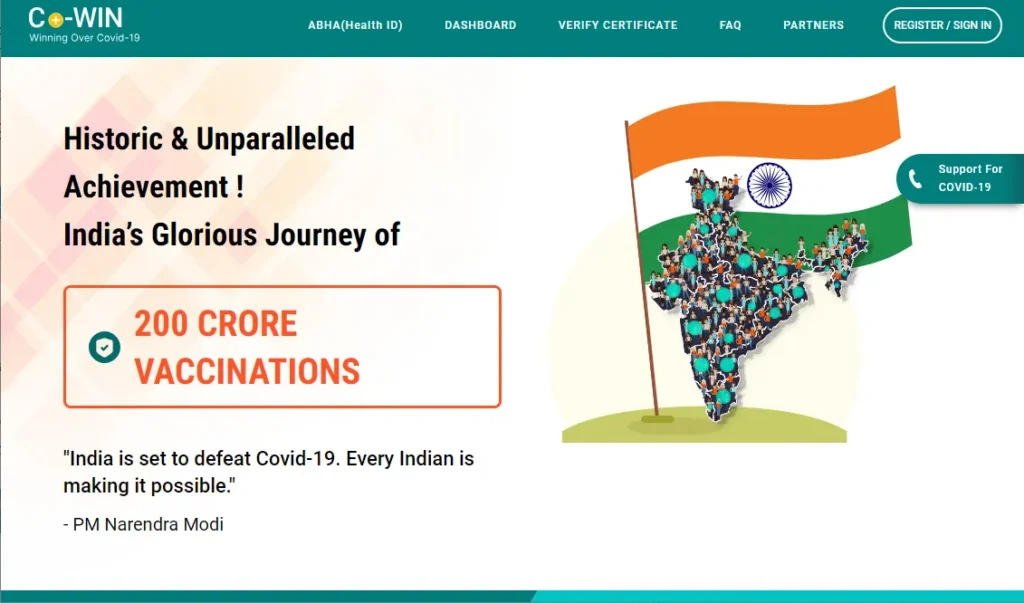
Click on the Register/ Sign In appearing at top right corner
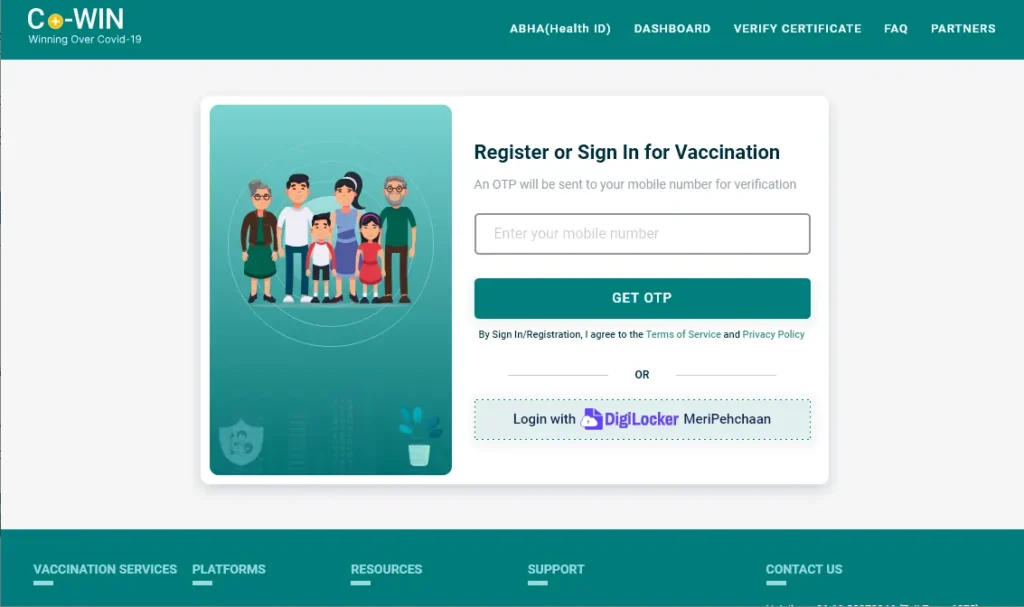
From the Register or Sign In for Vaccination Page, enter your mobile number which you had provided wile the vaccination and click on the Get OTP button
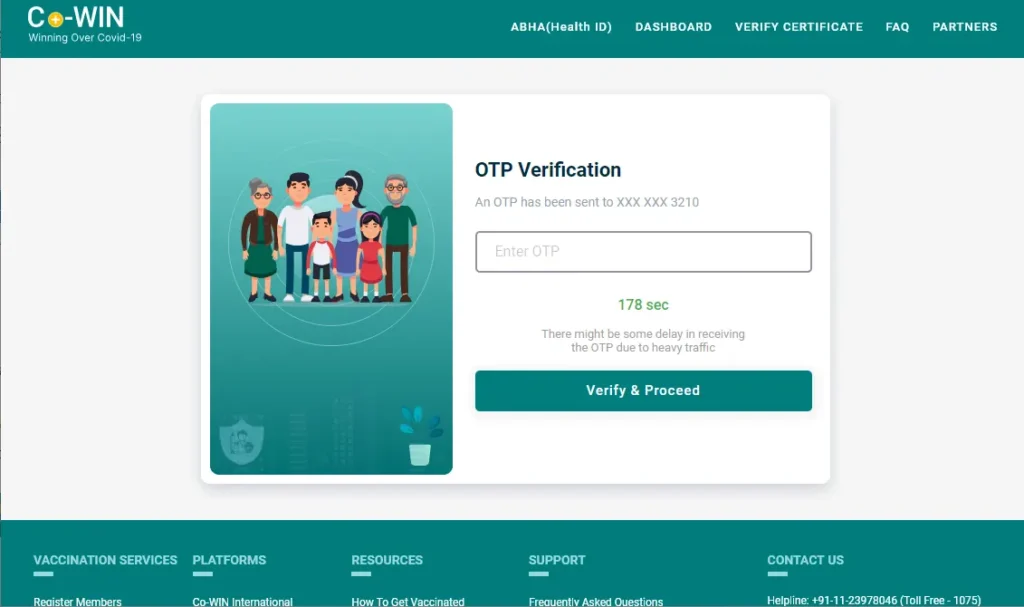
A One Time Password will be sent on your mobile number, enter the same in the OTP Verification field and click on Verify and Proceed button
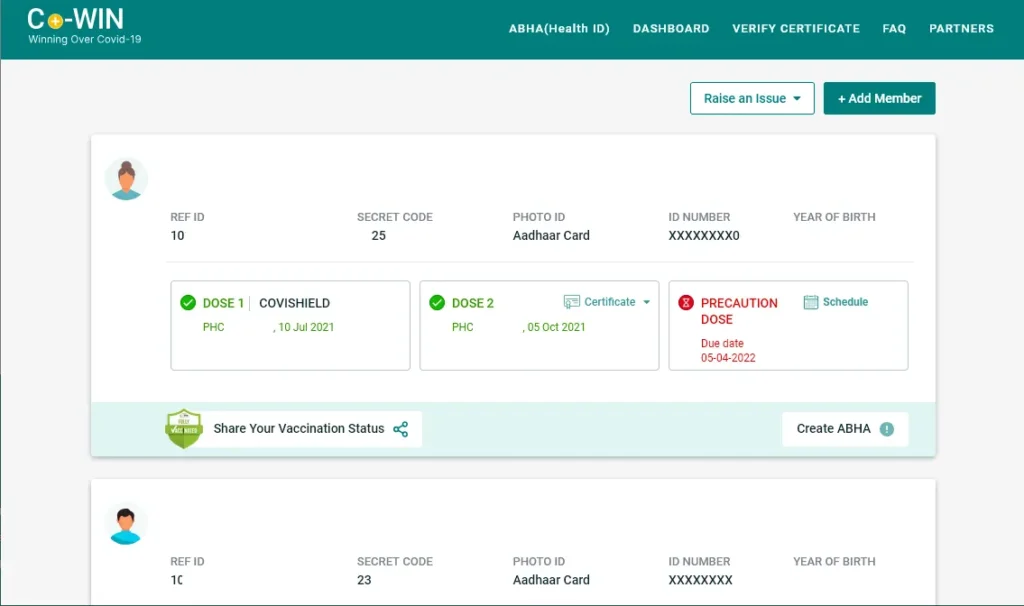
On the next screen, your details will be displayed, if you have given the same mobile number for other members of your family while vaccination then their details will also appear here
If you have been vaccinated with both doses then you will get to see both the dose completed status with a certificate link, as well if you have completed only one dose then the status will show as partially vaccinated
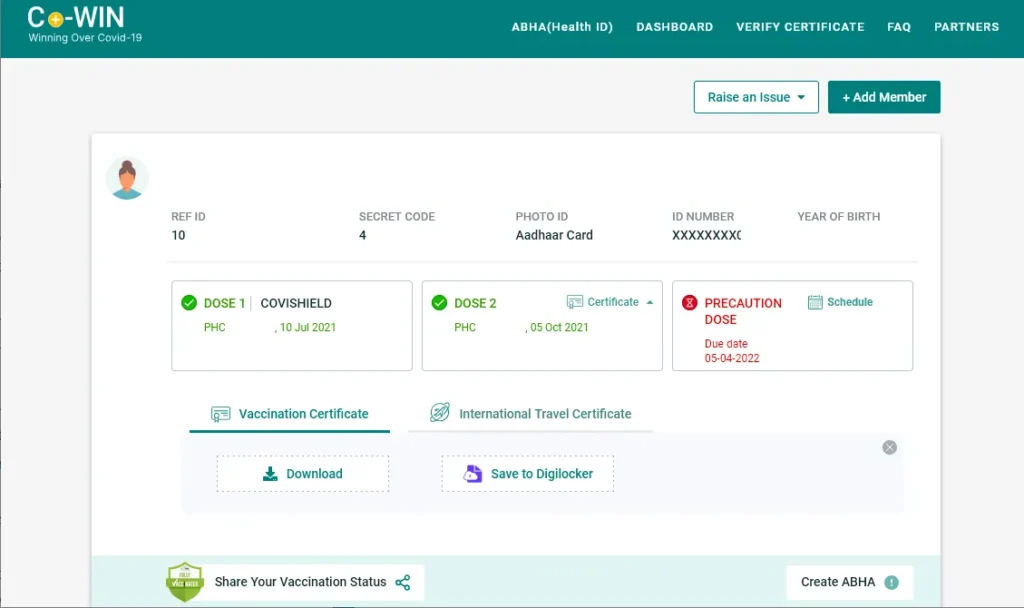
To download the certificate, click on the Certificate appearing against the dose
And this will bring up option Vaccination Certificate and International Travel Certificate
Click on the download button appearing under tab Vaccination Certificate if you need it for domestic use in India.
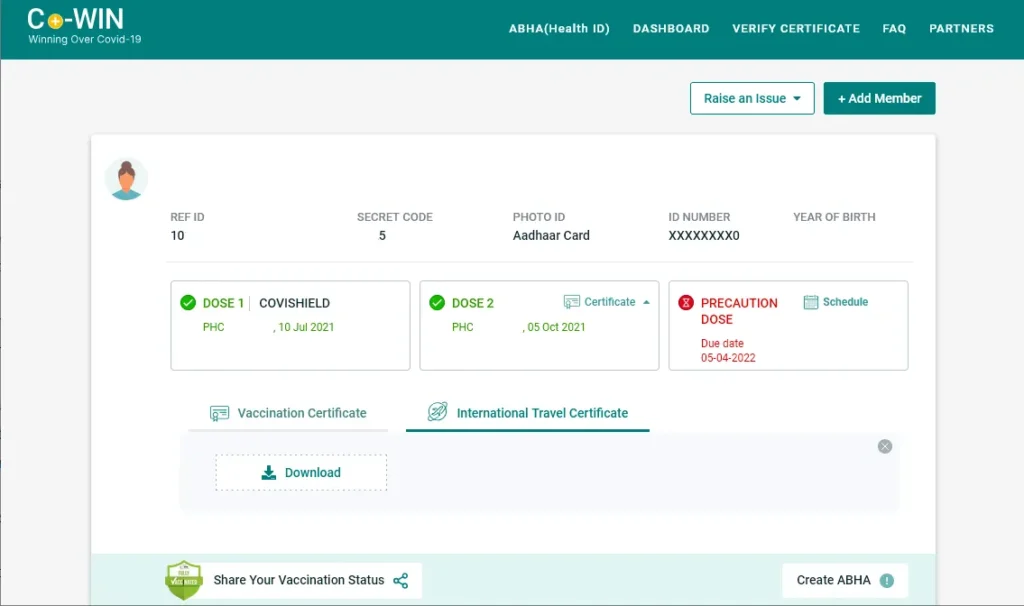
And in case if you need for your International Travel purpose click on the International Travel Certificate tab and then click on the download button.
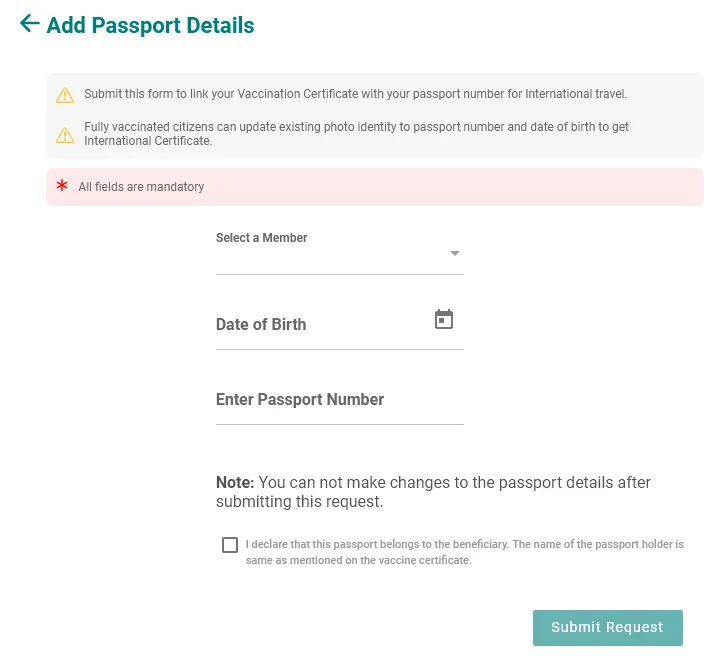
If downloading International Travel Certificate on next page you will be asked to enter your Passport Number and Date of Birth and upon submitting these details your International Travel Certificate will be generated and available to download. Note down You can not make changes to the passport details after submitting this request.
Alternatively you can even store the Vaccination certificate to your Digilocker account by clicking on Save to Digilocker
Your certificate will be downloaded in PDF format
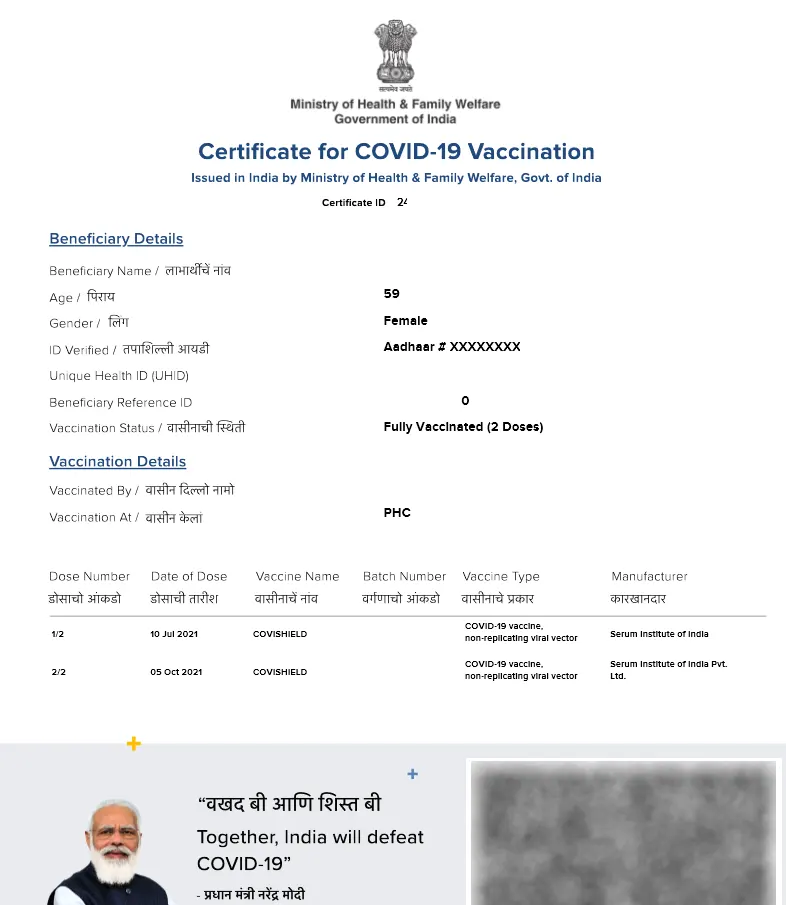
This PDF format certificate will contain all your details with vaccination details such as Vaccine name, date of 1st dose, date of 2nd dose, vaccinated by, and vaccination location
If you have been vaccinated with 1st dose and 2nd done is still pending then the certificate will contain only details of 1st dose and once you complete the second dose you can download a fresh copy of your certificate which will mention details of your second dose as well.
Partially Vaccinated with the First Dose will mention Provisional Certificate for COVID-19 Vaccination – 1st Dose in the Certificate
Fully Vaccinated with both doses will mention Final Certificate for COVID-19 Vaccination in the Certificate
Fully Vaccinated (2 Doses) and a Precaution Dose will be mentioned if you have taken the 3rd Vaccine which is also known as booster
If you have been vaccinated with Booster dose which is also known as Precaution Dose, then that dose details will also show up on your certificate. And for that you will need to download fresh copy of your COVID Vaccine Certificate.
The booster dose will be mentioned as Precaution Dose on your certificate and the details of that dose will show up below Dose 2 details. If you have taken the booster dose then in the vaccination status it will be mentioned as Fully Vaccinated (2 Doses) and a Precaution Dose
You can show this certificate whenever asked to prove that you have been vaccinated, this certificate can also be verified by scanning the QR printed below your certificate
COVID Certificate Download through WhatsApp
If the above method of downloading the Covid Vaccine Certificate through the web portal is a troublesome for you, then you can also download your COVID Vaccination Certificate via WhatsApp.
To download your COVID Vaccination Certificate, store the number +91 9013151515 in your phone contacts (this number is the official MyGov Whatsapp Helpdesk Number, if required you can cross-check it by visiting the official site https://www.mygov.in/covid-19/)
You need to send WhatsApp message through the same number which you have given while vaccination
Once you store this number in your phone contacts, open the WhatsApp app on your phone
Tap on the new message, and from the contact select the number which you had stored earlier
This will open a chat, just type download certificate and tap on the Send button
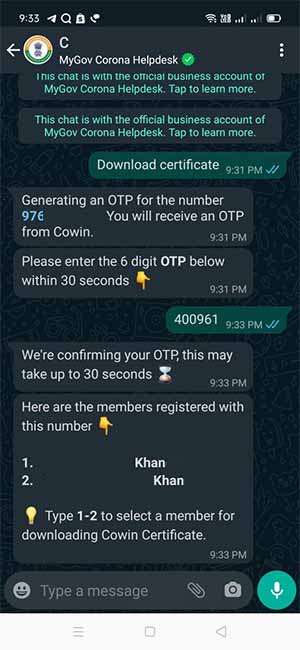
Instantly it will generate an OTP code which you will receive on your mobile number through SMS
You need to enter the OTP code within 3 minutes or else it will expire and you will need to again generate a new OTP code
Once submitting the OTP Code, the registered members with the associated mobile number will be listed in the message in a sequence
If there are multiple members registered with the same mobile number you need to select the member by replying with the number sequence which is associated with the members
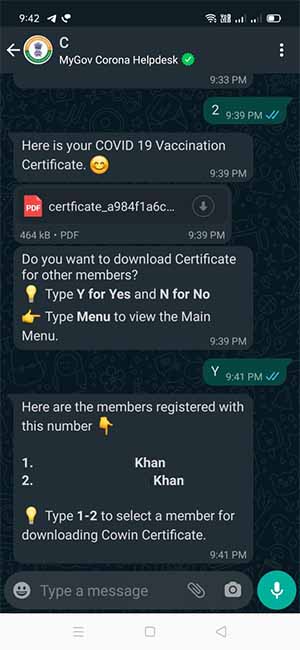
Once you send the number, you will receive the COVID 19 Vaccination Certificate in PDF format
Now you can download this certificate
If you want to download the certificate of other members then you need to just reply Yes, and then again select the member by sending the numeric sequence with which it is appearing and you will receive the certificate of other members in the same manner.
Cowin Certificate Download from Digilocker
To download cowin certificate Online from Digilocker, register on Digilocker using your Aadhaar Number by accessing the website or app
If you already have an account on Digilocker then login to your Digilocker account
Once logged in, go to the browse document tab
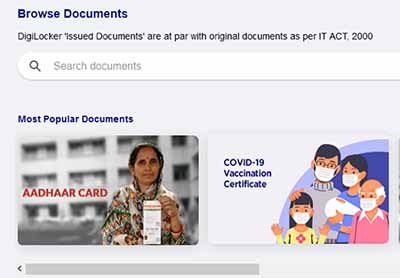
On the browse document page, under Most Popular Documents you will find the COVID-19 Vaccination Certificate option, just click or tap on that option
If you are unable to see the COVID-19 Vaccination Certificate option under the most popular documents section then in the search document type COVID-19 Vaccination Certificate and you will get that option
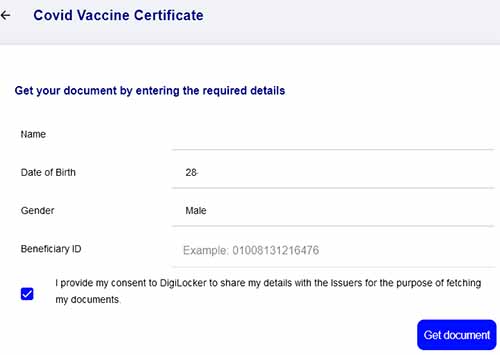
Once you tap or click on the COVID-19 Vaccination Certificate option, a page will appear “Get your document by entering the required details”, in this form all your details like name, date of birth, and gender will be prefilled.
In this form at the bottom, there will be a Beneficiary ID field in which you will need to fill up your Beneficiary ID which you can find on the receipt of your COVID Vaccination
Once you enter the Beneficiary ID, just click on the Get document button
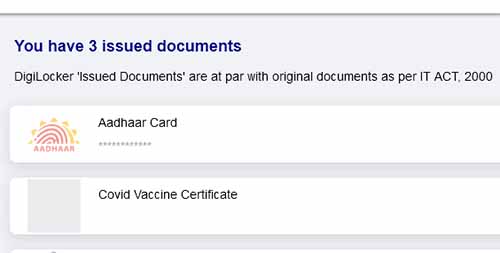
Your COVID-19 Vaccine Certificate will successfully get fetched from the server and added to your Issued Document Section
You can view your COVID Vaccine Certificate by clicking or tapping on it or else you can even download it using the download button which is appearing after the document
The document will get downloaded on your device in PDF format, and you can always access your PDF COVID Vaccine Certificate by logging into your DigiLocker Account.
No, without a registered mobile number you can download your COVID Vaccination Certificate, as you need to enter the OTP sent on your mobile number for the verification.
No, there are no limits to download the COVID 19 Vaccination Certificate. You can download your certificate anytime, anywhere and any number of times.
No, Covid Vaccine Certificate can be downloaded free of cost from the various official sources as mentioned in the above article.
No, an Aadhaar Number is not required while downloading Covid Vaccination Certificate. You just need your mobile number which you have declared while getting vaccinated.
Yes, if you have taken the third dose which is also known as booster or precaution dose then you may download your fresh certificate to get the updated certificate with 3rd dose details.

Leave a Reply