
Video can t be Posted Instagram is a very common issue faced by all the Instagram users. However, the Instagram video can't be posted message doesn't appears every time while uploading the video. This error only gets generated during specific situations and is not limited to type of video, whether it's a Post, Story, or Reel. So in this post lets uncover why the Instagram video can t be posted error occurs and explore some possible ways to fix it.There are several types of Video can t be … [Read more...]
How to Fix “Message Blocking Is Active” on iPhone
When sending a message from iPhone have you encountered an error "Free Msg: Unable to send message - Message Blocking is active". If this is the error which you are currently experiencing while sending out a message from your iPhone, then here are the solutions for it to get it fixed immediately.Before getting out to the solutions, lets first understand what does "Message Blocking Is Active" error mean?What Is Message Blocking Is ActiveMessage Blocking Is Active is an error which … [Read more...]
How to Fix “iCloud Terms and Conditions Cannot Complete Action” Error
Cannot Complete Action error appears on iOS devices while accepting the New iCloud Terms and Conditions. When such error appears you won't be able to accept to the terms and conditions, instead it will throw an error which could be frustrating. And when the iCloud Terms and Conditions is kept unaccepted, a red badge over my settings app will appear.You may have tried to fix this but might not have been successful. If this is the case then here are the several ways with which one could … [Read more...]
How to Fix “Unable to Determine if Your iPhone Camera Is a Genuine Apple Part”
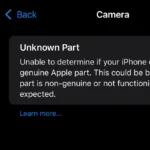
There is a very common issue which occurs on Apple's iPhone, where in an error randomly appears stating "Unknown Part Unable to determine if your iPhone camera is a genuine Apple part. This could be because the part is non-genuine or not functioning as expected, or the installation is incomplete..". Sometimes the same error also does appears as "Important Camera Message: Unable to verify this iPhone has a genuine Apple camera."If you’ve encountered the error mentioned above, you may be … [Read more...]
How to Set Timer on iPhone Camera (Step-by-Step Guide)

Have you ever used the camera timer feature on your iPhone? If you haven't used the iPhone camera timer yet, then you are missing out a very important feature. If you want know about this important feature, then you should definitely read this article. After going through this article you will know its benefits and how you can use this feature.Sometimes setting a timer on your iPhone camera could prove as a useful feature, whether it is selfies, group photos or hands-free photography. This … [Read more...]
- « Previous Page
- 1
- …
- 14
- 15
- 16
- 17
- 18
- …
- 21
- Next Page »