If you’ve subscribed to services like Amazon Prime, Netflix, Spotify, YouTube Premium, insurance premiums, OTT platforms, or utility bill payments using your ICICI Bank Credit Card or Debit Card, the payments are usually processed automatically through Standing Instructions (SI) or Recurring e-Mandates.
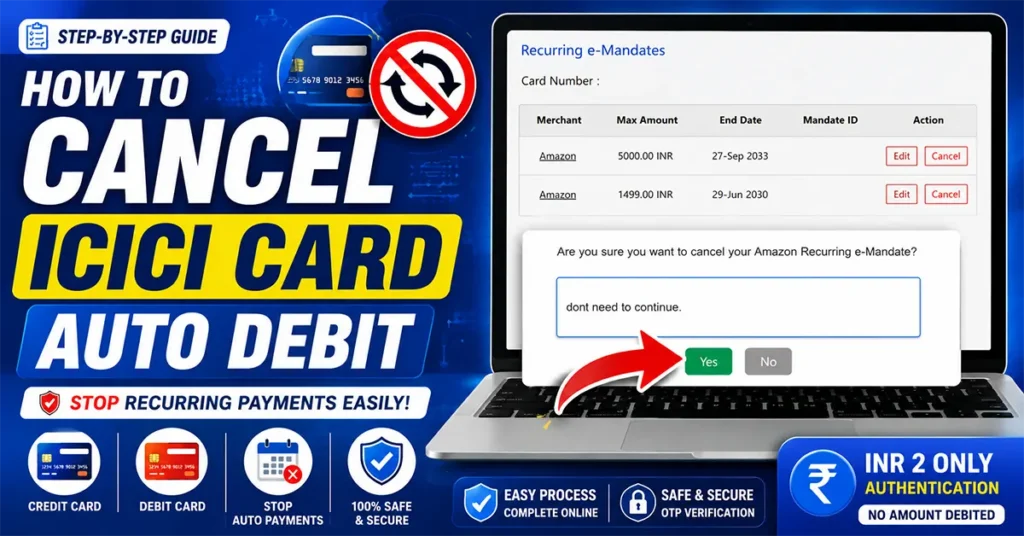
If you no longer wish to continue these automatic payments, ICICI Bank allows you to cancel the Standing Instructions online through its official SI Hub Portal. This guide explains the complete process with screenshots and important information you should know before cancelling a recurring payment.
Table of Contents
What are Standing Instructions (SI) or Recurring e-Mandates?
Standing Instructions (SI), also known as Recurring e-Mandates, are authorizations that allow merchants to automatically charge your credit or debit card at regular intervals.
Some common examples include:
- Amazon Prime Membership
- Netflix Subscription
- Spotify Premium
- YouTube Premium
- Disney+ Hotstar
- Insurance Premiums
- Mobile Recharge Plans
- Broadband Bills
- Utility Bill Payments
- Gym Memberships
Once a Standing Instruction is active, the merchant can automatically collect the payment on the due date without requiring your approval every month.
Why Cancel a Standing Instruction?
There are several reasons why you may want to cancel an Auto Debit mandate:
- You no longer use the subscription.
- You switched to another payment method.
- You don’t want automatic renewals.
- You want better control over recurring payments.
- You wish to avoid unwanted future charges.
- The service has become too expensive.
Cancelling the Standing Instruction ensures that the merchant cannot automatically debit your ICICI Bank card in the future.
How to Cancel ICICI Card Standing Instructions Online
Open your browser and search for ICICI Bank on Google.
Open the official ICICI Bank website.
Click on the Personal tab.
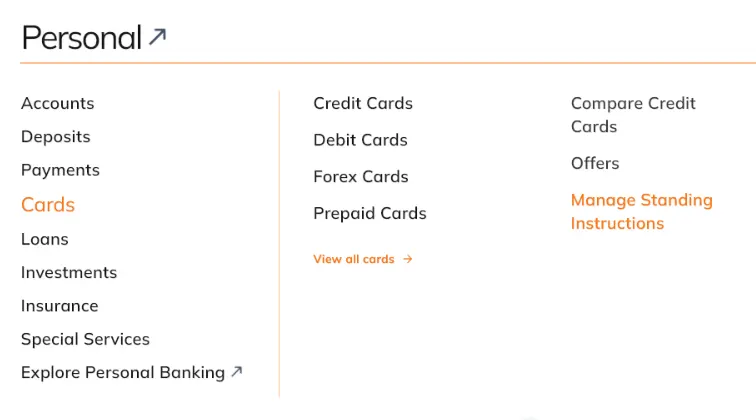
Now select Cards.
Under the Cards section, click Manage Standing Instructions.
You will now reach the information page explaining Recurring e-Mandates (Standing Instructions), including:
- What is a Standing Instruction
- Features
- Benefits
- Frequently Asked Questions
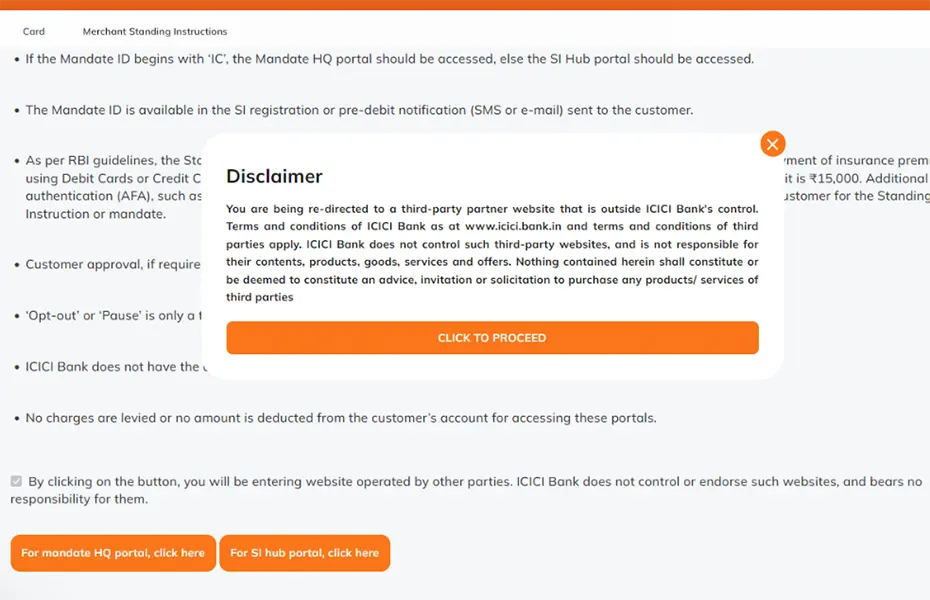
Scroll down to the bottom of the page.
Click on For SI Hub Portal, Click Here
A disclaimer popup will appear.
Read the disclaimer.
Click Click to Proceed.
The SI Hub Portal will now open.
Enter your ICICI Credit Card Number or Debit Card Number
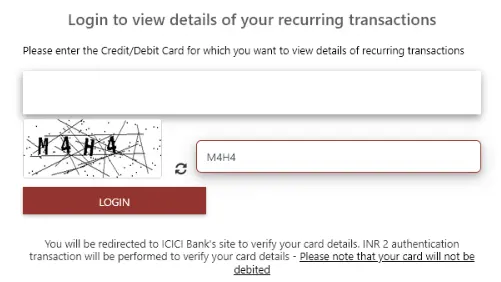
Complete the security CAPTCHA.
Click Login.
For security purposes, ICICI Bank will ask you to verify your card using OTP authentication.
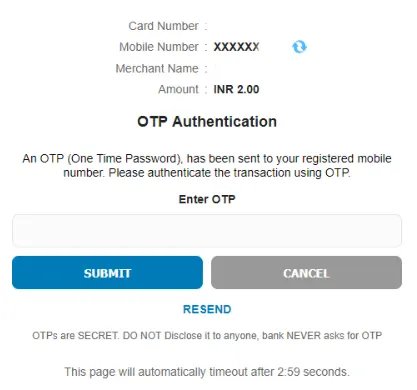
During this process, you may notice an INR ₹2 authentication transaction.
Don’t worry, This ₹2 amount is only used for card verification.
Your account or card will NOT be charged.
Enter the OTP received on your registered mobile number.
Click Submit.
After successful authentication, all active Standing Instructions linked to your card will be displayed.
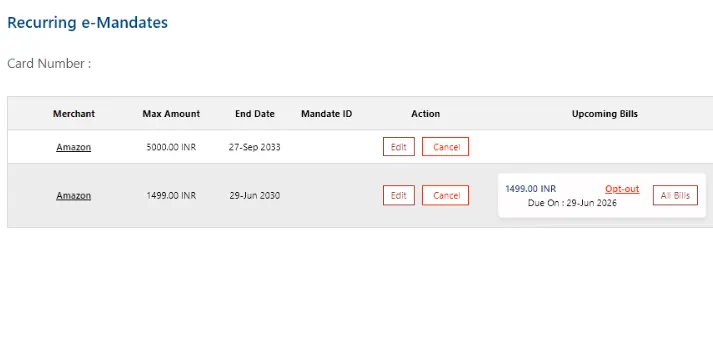
The page shows information like:
- Merchant Name
- Maximum Transaction Amount
- End Date
- Mandate ID
- Upcoming Bills
- Action Options
Review the merchant carefully before cancelling.
Locate the merchant whose recurring payment you wish to stop.
Click the Cancel button under the Action column.
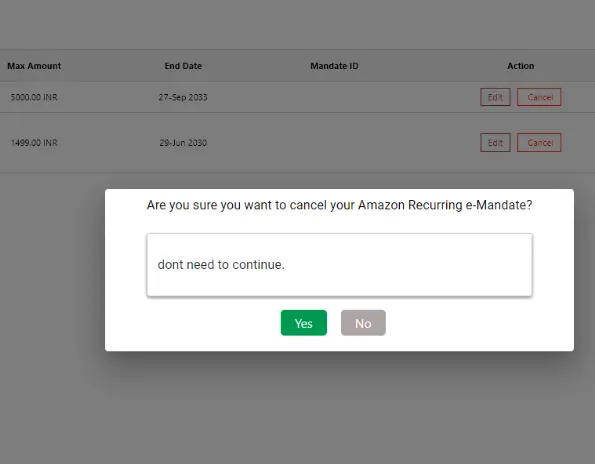
A confirmation popup will appear asking: Are you sure you want to cancel this recurring e-Mandate?
You can enter a remark such as:
- No longer required
- Don’t need to continue
- Subscription cancelled
- No longer using the service
Click Yes.
For security, ICICI Bank will once again request OTP verification.
You may again see an INR ₹2 authentication message.
Again, this amount is only for verification and will not be debited from your card.
Enter the OTP.
Click Submit.
Once the verification is completed, you will receive the confirmation message:
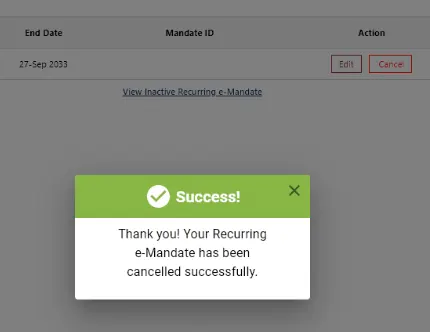
Thank You! Your recurring e-Mandate has been cancelled successfully.
Your Standing Instruction has now been removed.
The merchant will no longer be able to automatically charge your ICICI Bank Credit Card or Debit Card using that e-Mandate.
Yes. ICICI Bank allows you to cancel recurring e-Mandates online through the SI Hub Portal.
No. The ₹2 transaction is only for authentication purposes. Your card is not actually charged.
Yes. If Amazon Prime is linked through an ICICI Bank recurring e-Mandate, you can cancel it using the SI Hub Portal.
Yes. The process works for both ICICI Bank Credit Cards and Debit Cards.

Leave a Reply