BSNL Fibre Broadband offers free OTT subscription benefits with selected broadband plans. Customers subscribed to eligible plans such as Fibre Value OTT, Super Star Premium Plus OTT, and Super Plus OTT can access bundled OTT services at no additional cost.
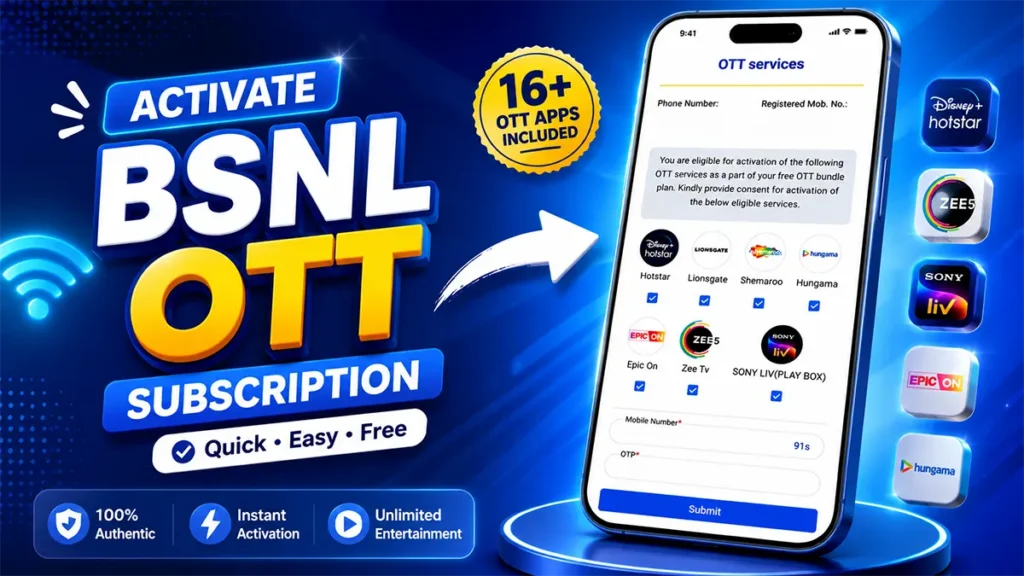
However, many BSNL Fibre customers may be unaware of how to activate these free OTT subscriptions. The OTT bundle activation process is also not always clearly explained, making it difficult for new customers to get started.
If you have subscribed to an eligible BSNL Fibre OTT plan but have not yet activated your free OTT services, this step-by-step guide will help you activate your BSNL Fibre OTT subscription easily.
Table of Contents
How to Activate BSNL Fibre OTT Subscription
Once your BSNL Fibre connection has been successfully installed and activated, you will generally receive an SMS on your registered mobile number within 24 hours.
The SMS contains a unique, customer-specific link for activating the OTT bundle included with your BSNL Fibre broadband plan.
After your BSNL Fibre connection is activated, check the SMS inbox of the mobile number provided during registration.
You should receive a message containing a unique link to activate the OTT services included with your broadband plan.
The message will look similar to the one shown in the screenshot below.
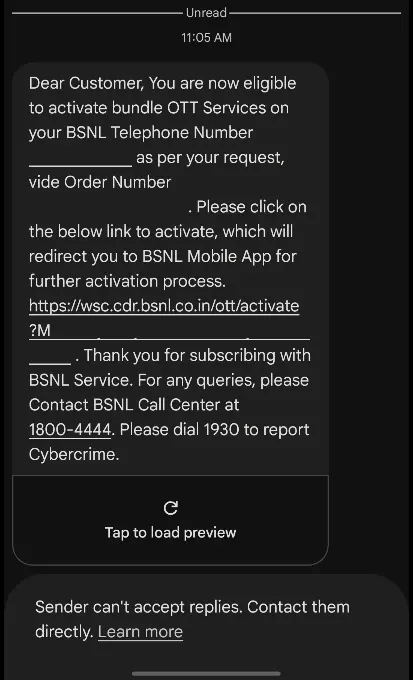
To activate the free OTT services included with your BSNL Fibre plan, click on the customer-specific link received through SMS.
This link will take you to the OTT Bundle Activation page.
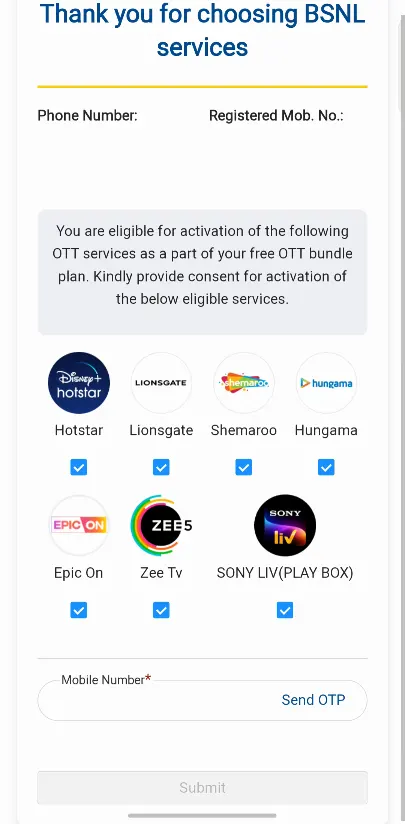
On the OTT Bundle Activation page, you will see the OTT platforms available with your BSNL Fibre broadband plan.
Tick or select all the OTT services that you wish to activate.
Your registered mobile number—the number provided during BSNL Fibre registration—will be displayed on the activation page.
Click on Send OTP.
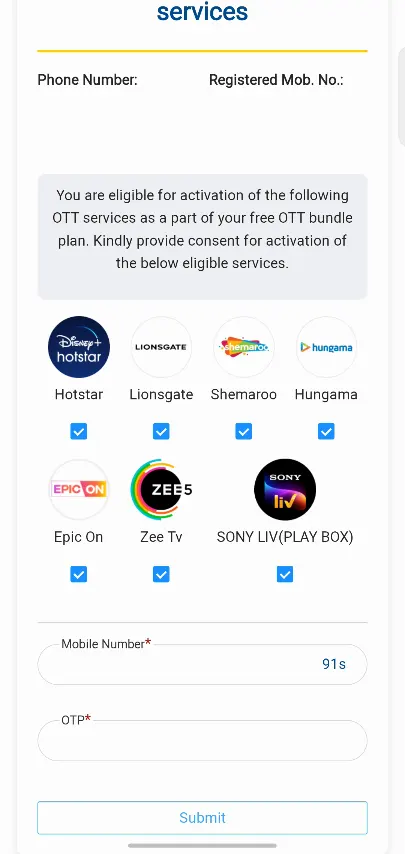
You will receive a One-Time Password (OTP) on your registered mobile number. Enter the OTP and click on the Submit button.
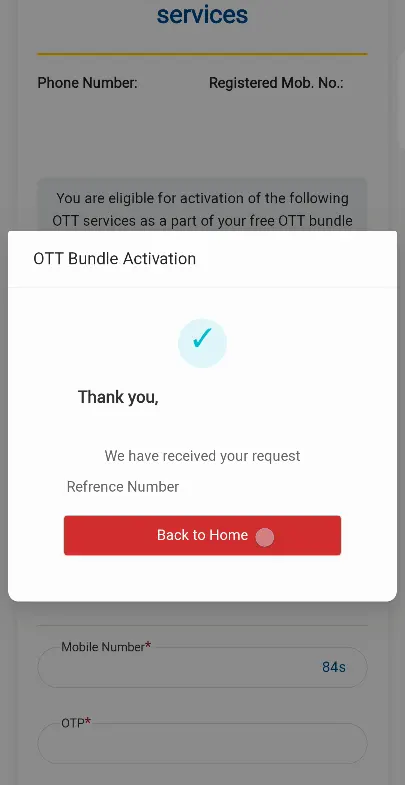
Once the OTP verification is completed successfully, your selected BSNL Fibre OTT services will be activated.
You can then log in to the respective OTT platforms using the registered mobile number associated with your BSNL Fibre connection, wherever applicable.
Which OTT Apps Are Included with BSNL Fibre OTT Plans?
BSNL Fibre Broadband offers OTT benefits with selected eligible plans. Depending on your BSNL Fibre plan and the OTT bundle currently available with your subscription, you may get access to multiple premium OTT platforms.
The OTT services available with eligible BSNL Fibre OTT plans may include:
- JioHotstar
- Lionsgate Play
- ShemarooMe
- Hungama
- EPIC ON
- SonyLIV
- ZEE5
- Chaupal
- Sabot
- Wave Premium
- Other OTT platforms included in the 16 OTT bundle
The availability of OTT platforms may vary depending on your BSNL Fibre broadband plan and the OTT bundle offered with your subscription.
BSNL Free OTT Subscription Activation – Important Points
- Free OTT benefits are available only with eligible BSNL Fibre broadband plans.
- The OTT activation link is generally sent to your registered mobile number after the connection is activated.
- The link received through SMS may be customer-specific.
- You may need to verify your registered mobile number using an OTP.
- Select the OTT platforms available under your specific BSNL Fibre plan.
- Use your registered mobile number to log in to the OTT platforms after activation, wherever required.
Activating your BSNL Fibre free OTT subscription is a simple process once you receive the unique activation link through SMS. Just open the link, select the OTT services you want to activate, verify your mobile number using OTP, and submit the request.
After successful activation, you can start enjoying the OTT benefits included with your eligible BSNL Fibre Broadband plan.
That’s it! This is how you can activate your BSNL Fibre OTT subscription and enjoy the free OTT services included with your broadband plan.

Leave a Reply