If you have connected a USB flash drive to your Sony Bravia Google TV to watch movies, view photos, or play music, you may wonder how to safely remove it when you’re finished.
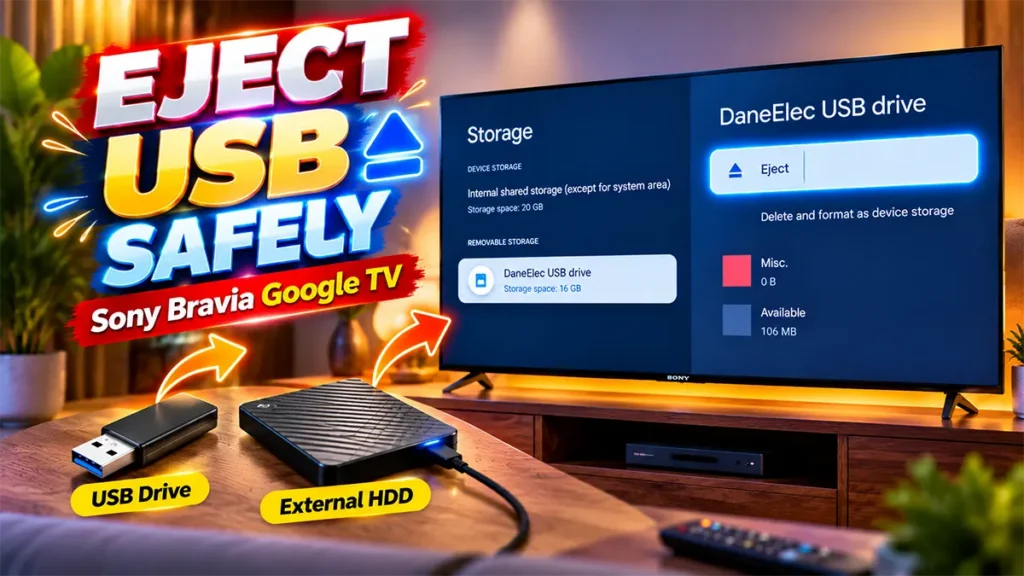
Simply pulling the USB drive out of the TV isn’t the best habit, especially if the TV is still accessing the drive.
Fortunately, Sony Bravia Google TV has an Eject option in the Storage settings. You can use it to safely disconnect the USB drive before physically unplugging it from the TV.
In this guide, I’ll show you exactly how to eject a USB drive from Sony Bravia Google TV, step by step.
Table of Contents
How to Eject USB Drive from Sony Bravia Google TV
You can safely eject the connected USB drive directly from the TV’s Settings menu.
Follow these steps:
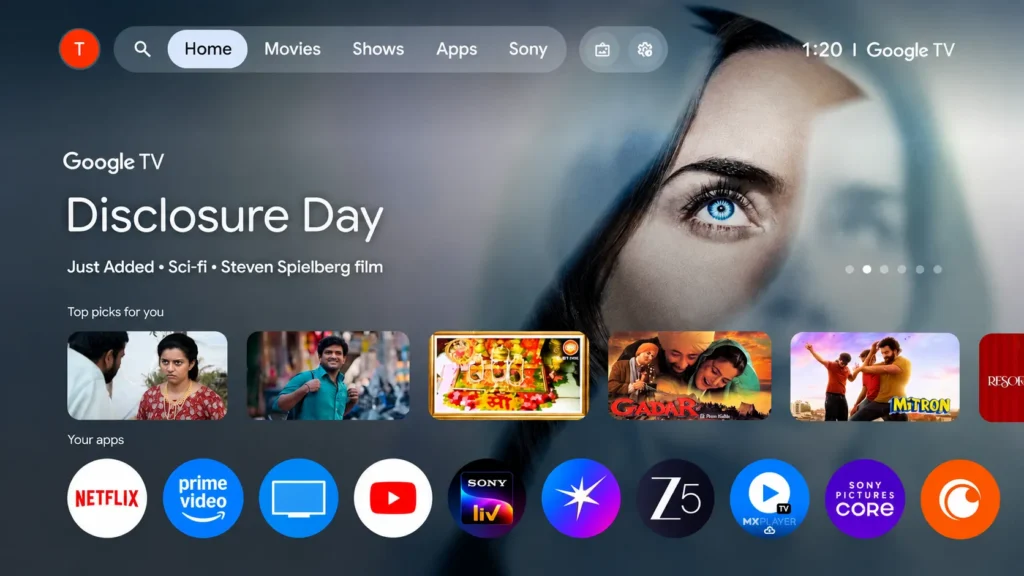
Take your Sony Bravia remote and press the Settings button.
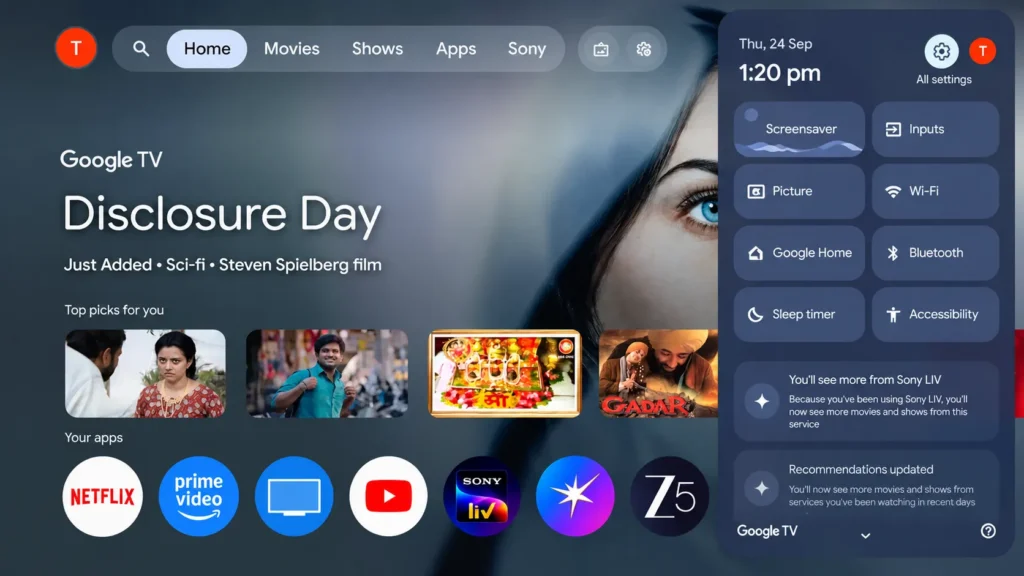
This will open the TV’s Settings menu.
Once the Settings menu appears, press the OK button on your remote.
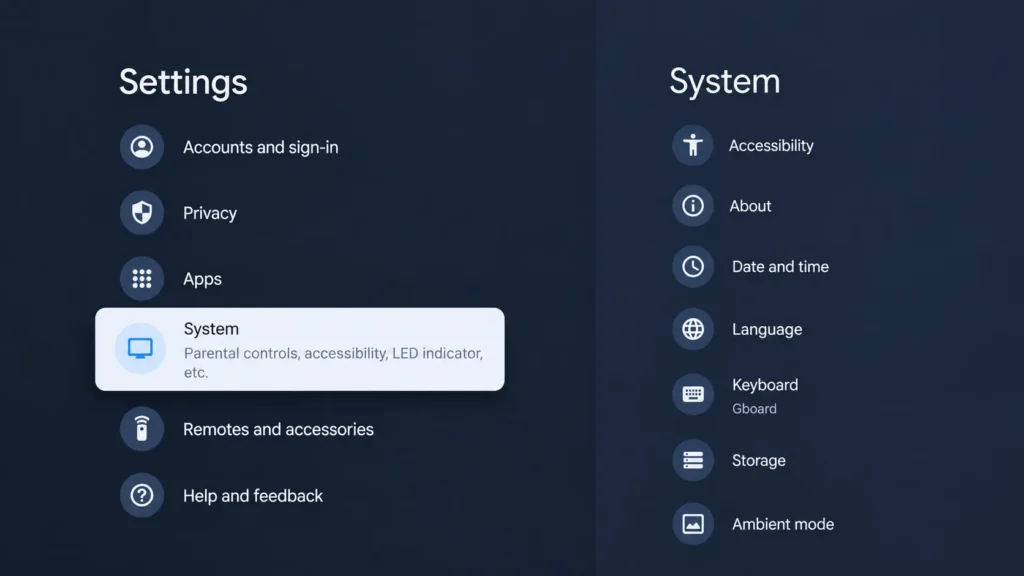
Scroll down through the Settings page until you find System.
Select System and press OK.
Inside the System settings, scroll down again until you find Storage.
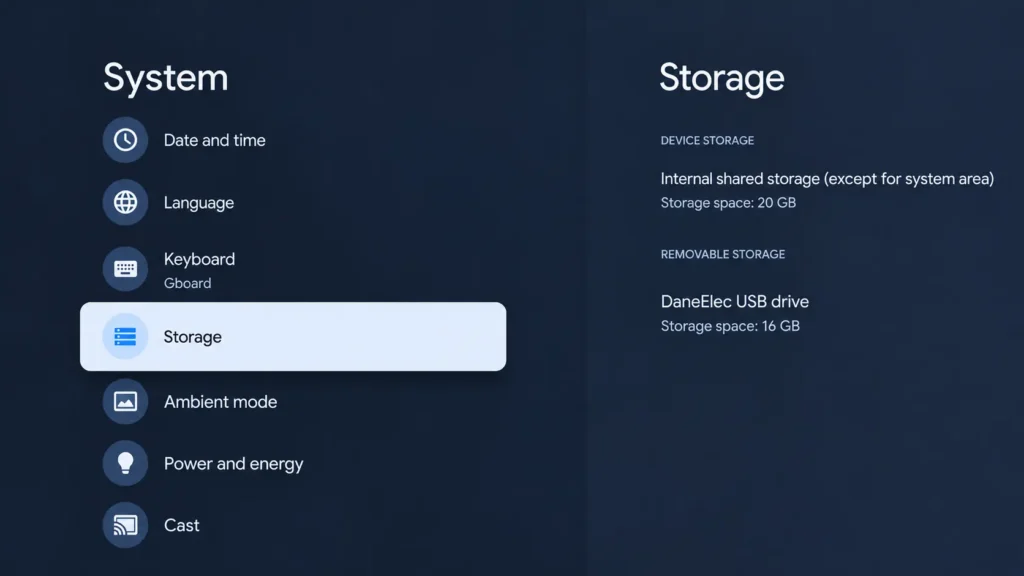
Select Storage and press OK.
The Storage page will show the USB drive currently connected to your Sony Bravia Google TV.
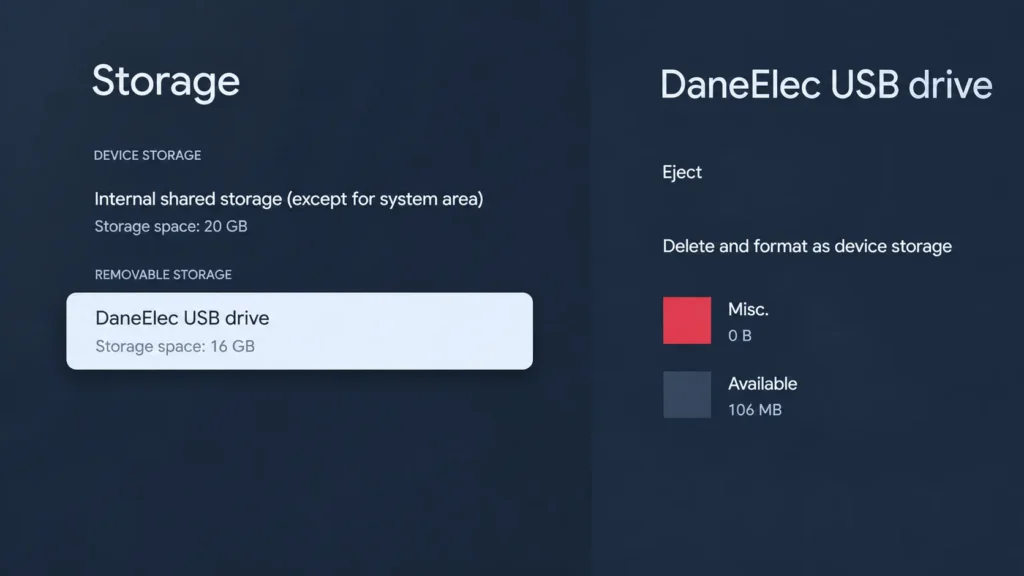
Select the USB drive from the list and press OK.
After selecting the USB drive, a new set of options will appear for that particular USB storage device.
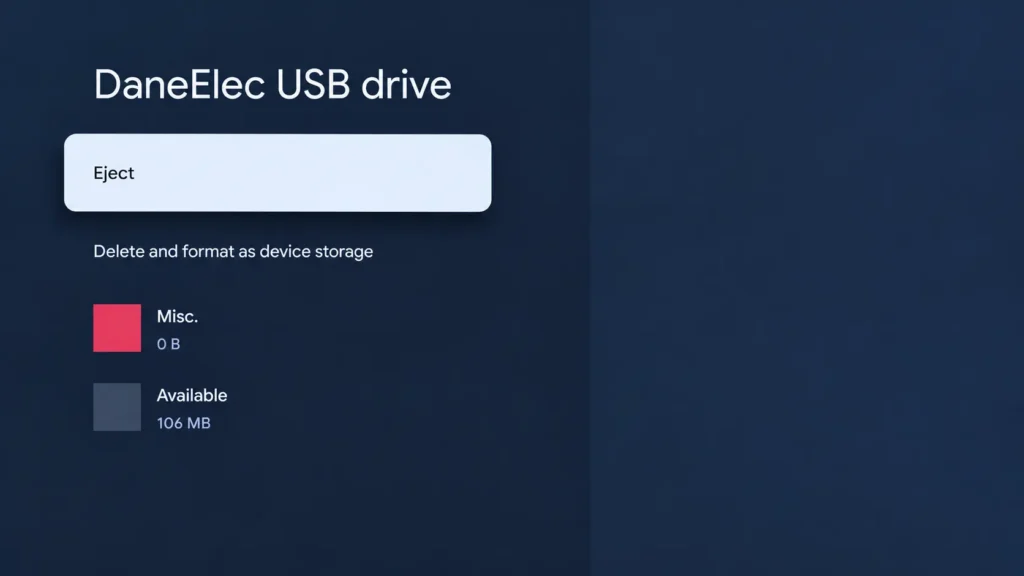
Look for the Eject option.
Select Eject and press OK on the remote.
The TV will now start the process of ejecting the USB drive.
Don’t unplug the USB drive immediately.
Wait for the TV to finish the process.
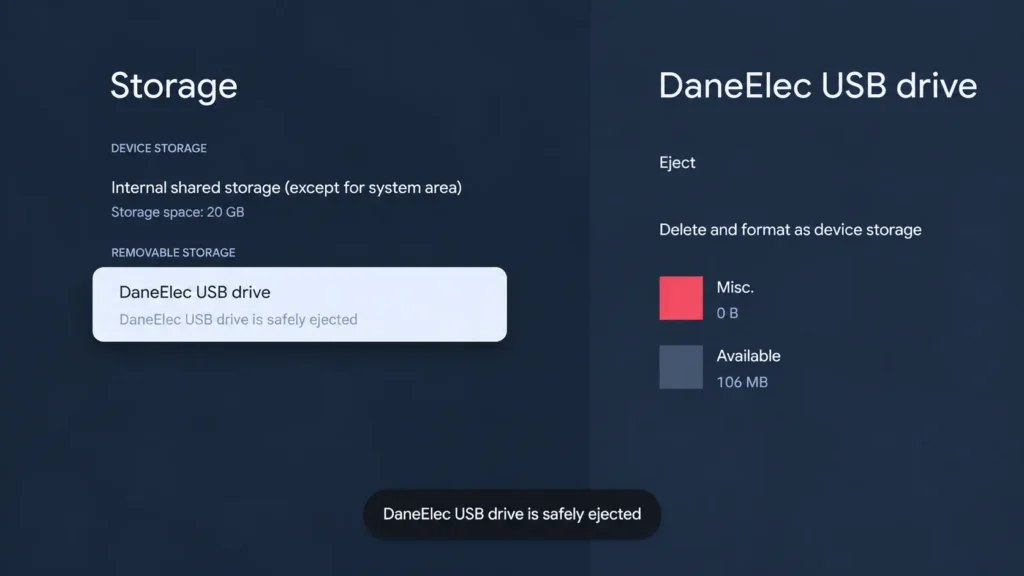
Once the eject process is complete, you will see a message indicating that the USB drive has been safely ejected.
At this point, the TV has finished using the USB drive.
You can now safely remove the USB flash drive from the USB port on your Sony Bravia TV.
And that’s it.
If the Storage menu looks different on your TV or you’re using an older software version, it may also be worth checking whether your TV has the latest software. Here’s our guide on how to update Sony Bravia TV to the latest software
Why Should You Eject the USB Drive Before Removing It?
You might be thinking, “I’m only watching a movie from the USB drive. Why do I need to eject it?”
The reason is that a TV can still be accessing the USB storage even when you aren’t actively doing anything with it.
If you suddenly pull out the drive while the TV is reading or writing data, there is a possibility of file corruption.
Using the Eject option gives the TV an opportunity to safely stop using the USB storage.
It only takes a few seconds, so it’s a good habit to follow whenever you remove a USB drive from your TV.
Can I Simply Pull Out the USB Drive from Sony Bravia?
It’s better to eject it first.
If you have just finished watching a movie or browsing photos, don’t immediately pull the USB drive out.
Instead, go to:
Settings → System → Storage → USB Drive → Eject
Wait until the TV confirms that the USB drive has been safely ejected.
You can then unplug it from the TV.
This is particularly important if the USB drive contains important photos, videos, documents, or other files that you don’t want to risk damaging.
What Does “USB Drive Safely Ejected” Mean?
When you select Eject, the TV stops using the USB storage device.
After the process is complete, your Sony Bravia displays a confirmation that the USB drive has been safely ejected.
This means you can now physically disconnect the USB drive from the TV.
You don’t need to turn off the television just to remove the USB drive.

Leave a Reply