Everyone knows about Aadhaar, but let’s briefly understand it in simple words.
Aadhaar is a 12-digit unique identification number issued by the Government of India as proof of identity and address. Today, Aadhaar has become one of the most important documents required for banking, SIM cards, government schemes, eKYC verification, airports, and many other official purposes.
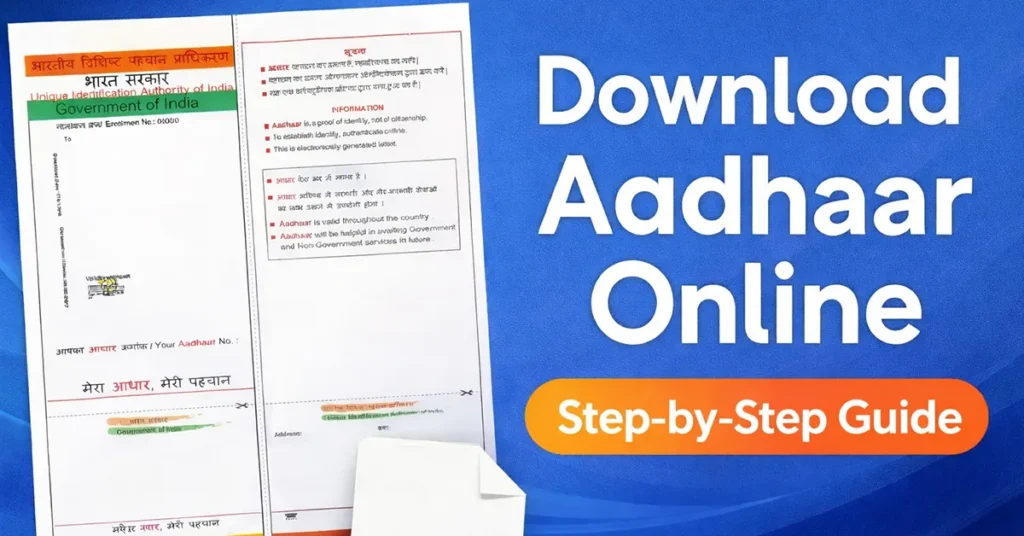
The Aadhaar authority, the Unique Identification Authority of India (UIDAI), maintains demographic and biometric data collected during the enrollment process. This data is used securely for identity verification and eKYC authentication.
If you have not received your Aadhaar card by post, or if you need a digital copy urgently, you can download e-Aadhaar online instantly from the official UIDAI portal.
Table of Contents
What is e-Aadhaar?
e-Aadhaar is a password-protected PDF version of your Aadhaar card that is digitally signed by UIDAI. It is legally valid and can be used the same as the original Aadhaar card received by post.
If you have received an SMS stating that your Aadhaar number has been generated, you can immediately download your Aadhaar online.
Prerequisites to Download e-Aadhaar Online
Before downloading, make sure you have:
- Aadhaar Number (12 digits) OR
- Enrolment ID (EID) OR
- Virtual ID (VID)
- Mobile number registered with Aadhaar (for OTP verification)
Without a registered mobile number, Aadhaar download is not possible. To update mobile number click here.
How to Download Aadhaar Online (All Official Methods)
Currently, UIDAI offers multiple ways to download Aadhaar. You can choose any of the methods below.
Method 1: e-Aadhaar Download Using UIDAI Web Portal
Through this method, Aadhaar can be downloaded using:
- Virtual ID (VID)
- Aadhaar Number
- Enrolment ID
Visit the Official UIDAI Web Portal https://uidai.gov.in/
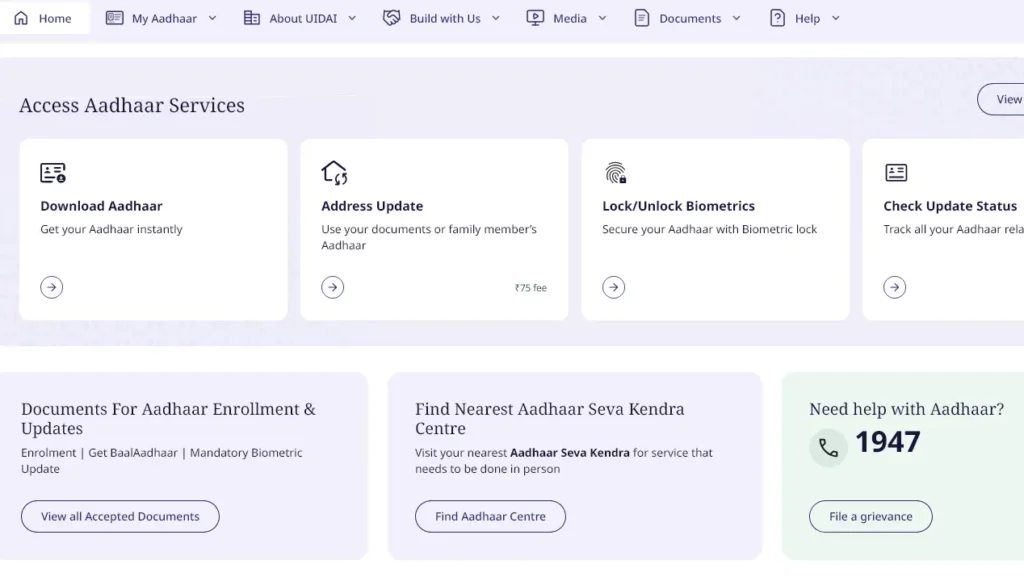
From the homepage, click on “Download Aadhaar” under Access Aadhaar Services Section
You will be redirected to the Welcome to myAadhaar Page
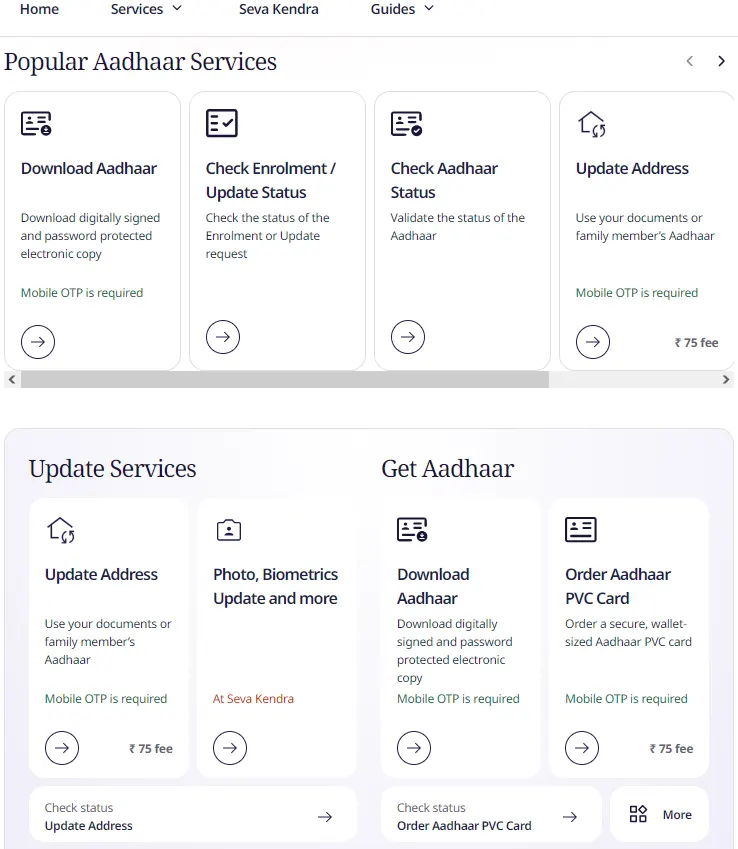
Scroll down the page and click on Download Aadhaar under Popular Aadhaar Services Section
From the Download Aadhar Page, Choose whether you want to download using:
- Aadhaar Number
- Virtual ID (VID) Number
- Enrolment ID (EID) Number
- SID Number
You can make selection of any as per the availability with you, all the mode will allow you to download the same Aadhaar. There won’t be any changes in your Aadhaar.
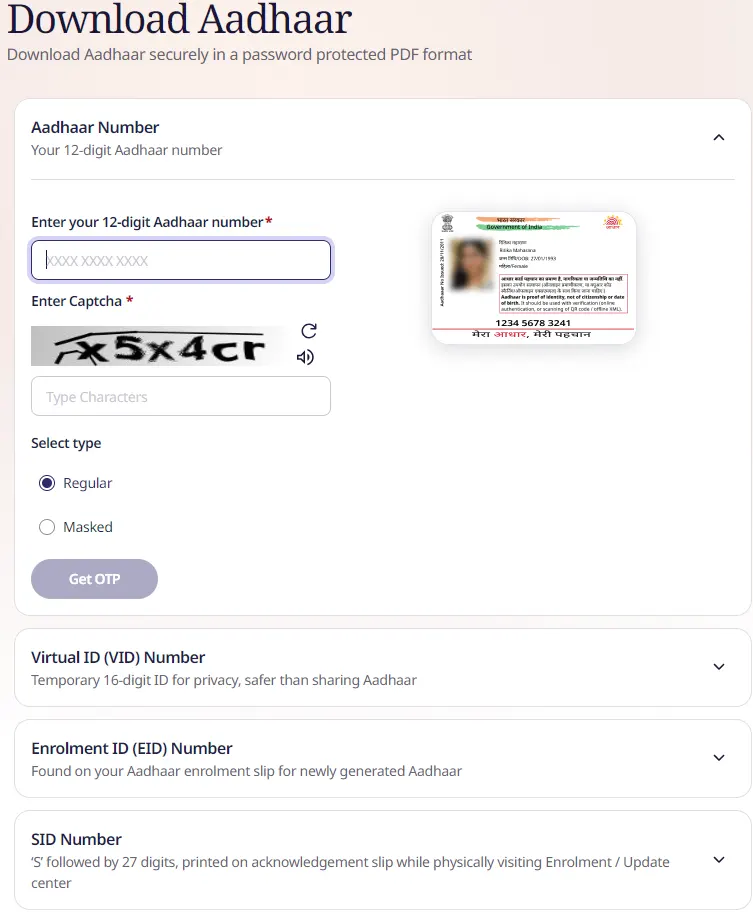
Once you make selection from the above option, enter the detail below as per the selection which you have made like 12 digits
Solve the captcha by entering the same as displayed in the image and select Send OTPAadhaar, VID, EID or SID.
Then select the type of Aadhaar which you wish to download from Regular or Masked.
Click on Get OTP
This will send a OTP on your Aadhaar registered mobile number
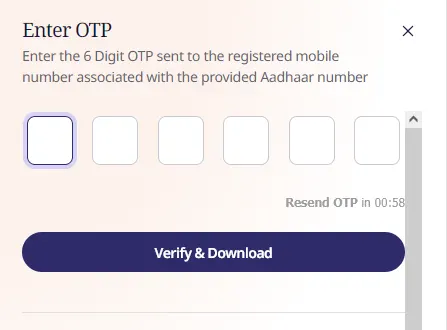
Enter the received OTP Code in the OTP field and select Verify and Download
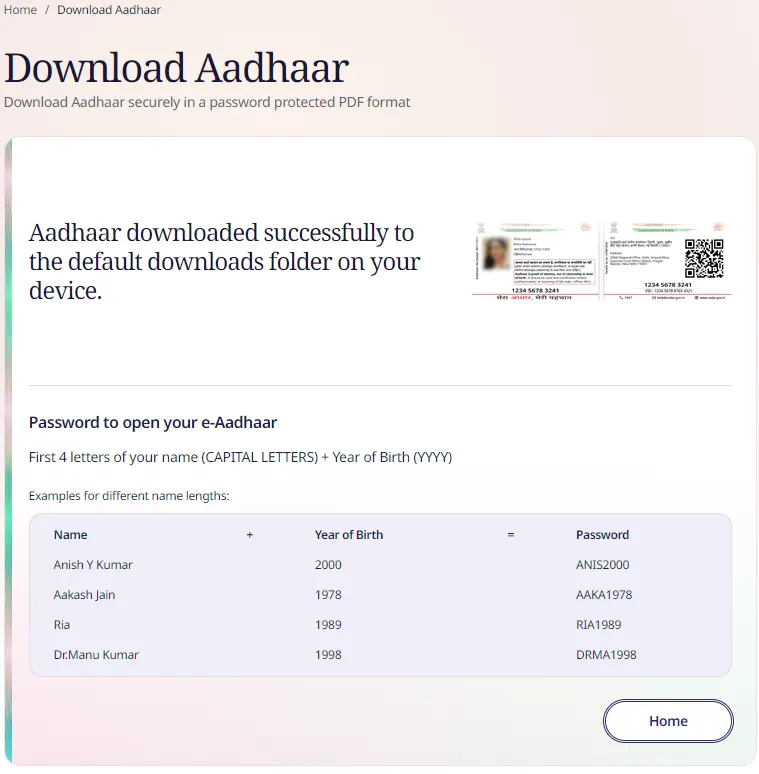
Your Aadhaar will get downloaded on your device in PDF file format.
Method 2: UIDAI Aadhaar Download Using Aadhaar Number (Login Method)
Through this method, Aadhaar can only be downloaded using Aadhaar Number. This mode doesn’t accepts VID or Enrolment ID to download Aadhaar.
To download Aadhaar using Aadhaar Number visit the UIDAI’s myAadhaar portal https://myaadhaarbeta.uidai.gov.in/
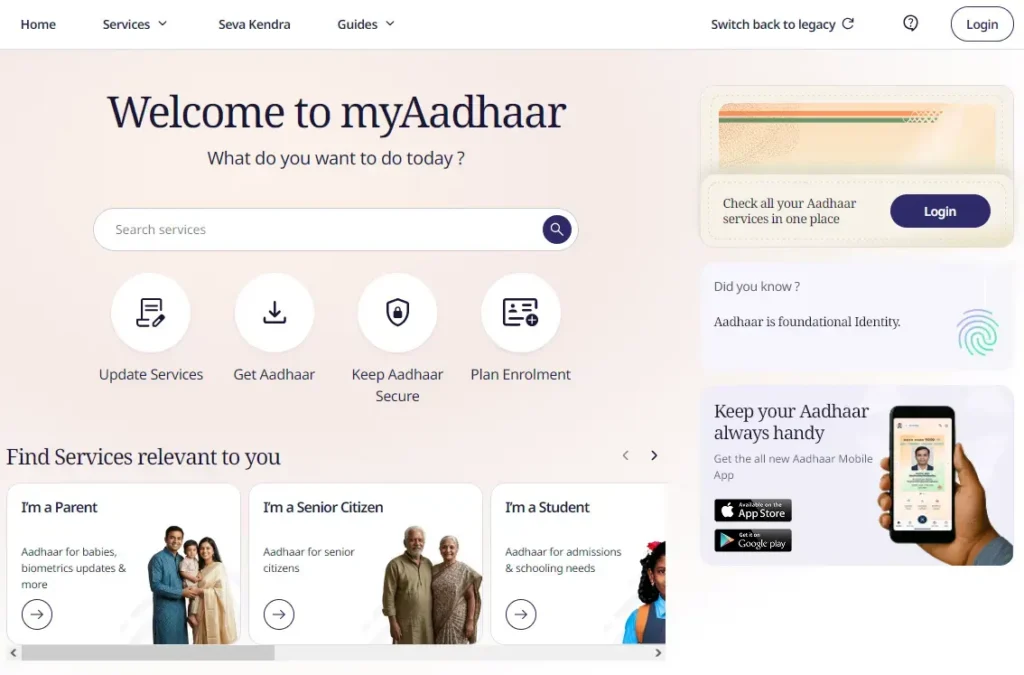
On myAadhaar page click on the login button
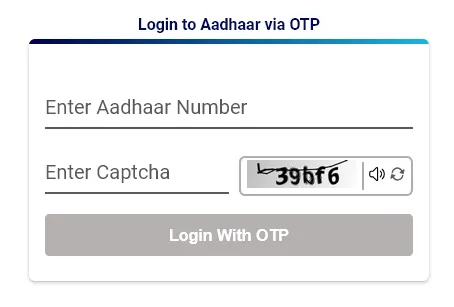
On the next page you will be asked to enter the 12 digits Aadhaar Number, enter the same and solve the captcha code
Once done, select Login with OTP
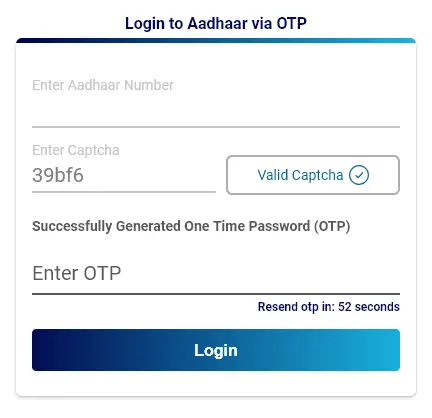
This will send a OTP on your registered Aadhaar Mobile Number
Enter the received OTP and select login button
The page will again redirect to the myAadhaar services page
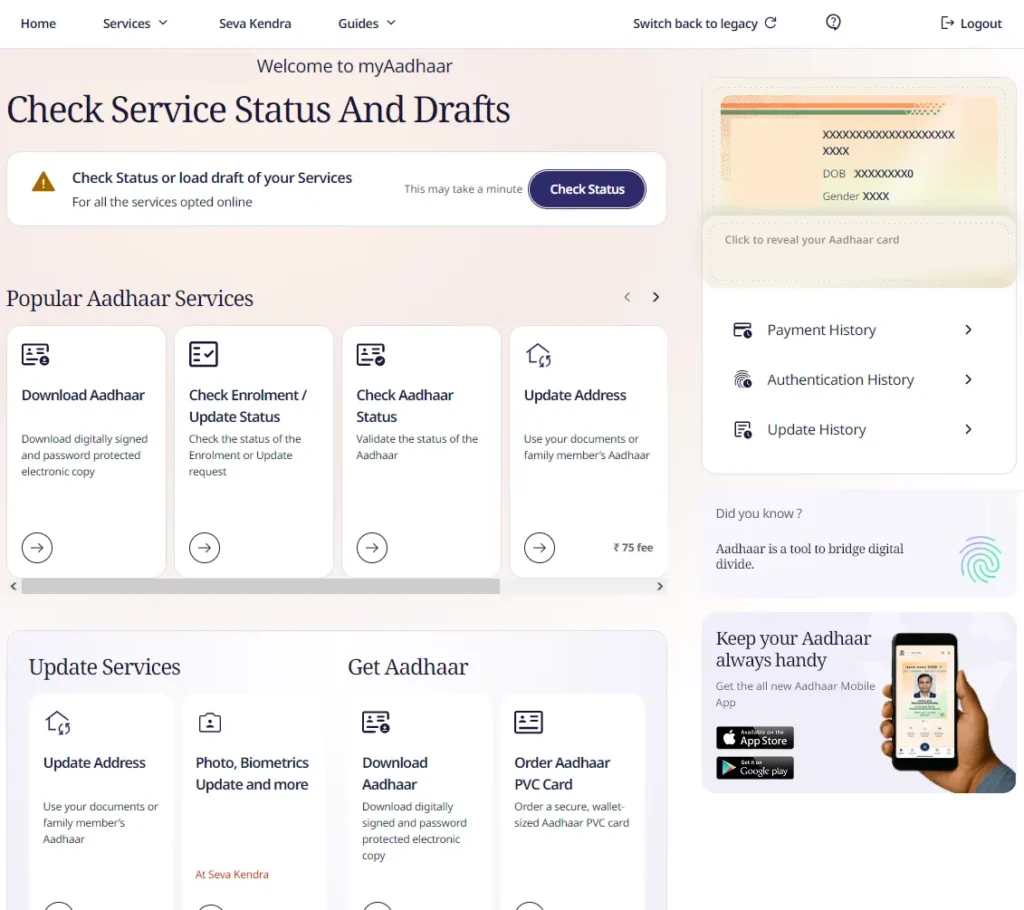
From the myAadhaar page, click on the Download Aadhaar option
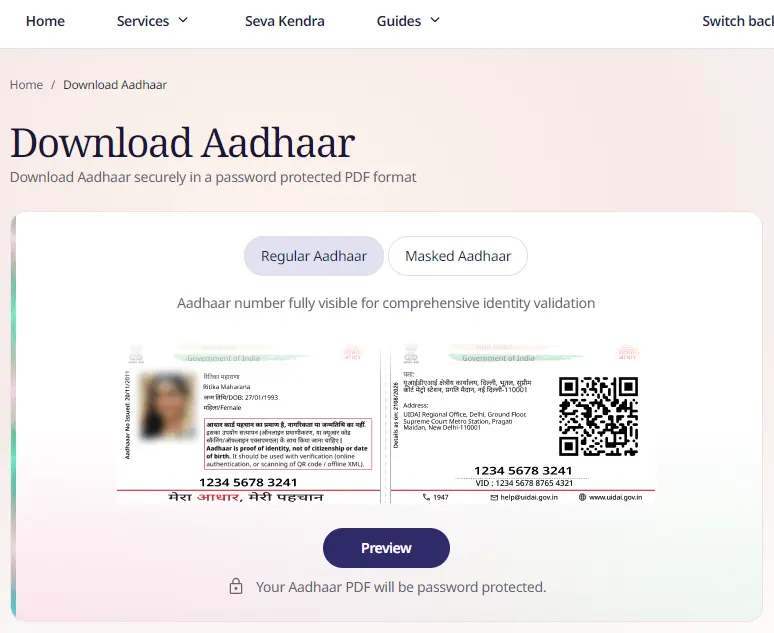
On next page you will need to select whether you wish to download Aadhaar in regular form or masked.
Select and click on the Preview button
This will show you Aadhaar demographics data, on the same page a download option will be available below
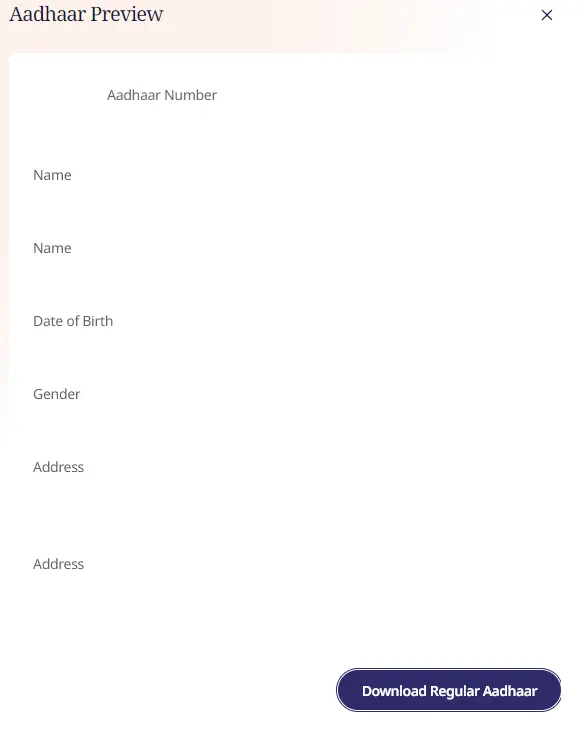
Click on the download button and your Aadhaar will get downloaded.
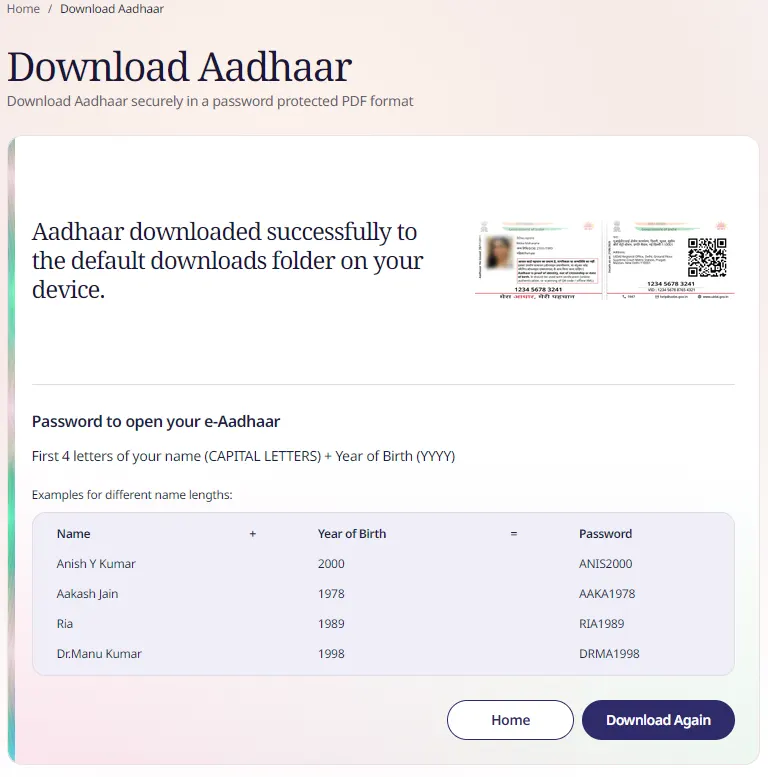
After successful download to open the e-Aadhaar Card Letter you will need PDF Reader one of the best PDF Reader is Adobe Reader which you can download it by clicking here.
If you already have Adobe PDF Reader than well in good and open the downloaded e-Aadhaar Card Letter.
Next it will prompt you to enter the e-Aadhaar Card Letter password, to know the password click here.
Hope after reading this you have got familiar with downloading Aadhaar Card if you had any problems during the downloading process of Aadhaar Card you can comment below.
No, Aadhaar cannot be downloaded without valid mobile number and OTP.

i have forgot my ID through which i have order a mobile from flipkart and now i need to take my mobile to the service center…. how can i get my bill without mobile number and ordered ID…????
help me ASAP…!!!!
Hello Vijay,
To get your invoice you will have to login to your Flipkart account from which you have ordered the product, without that you cant get it. Alternatively try calling Flipkart Customer Care they might be able to help you better.
Regards