Recently, Google has silently installed certain system apps on many Android smartphones. These apps are introduced to provide additional safety and smart features on Android devices. However, not every user needs or wants these features especially when they involve scanning personal data such as messages, photos, or videos.

Some of these apps work in the background and are linked to privacy-related features. They may analyze images, videos, and message content to detect sensitive material. While this can be helpful in certain situations, such as protecting children, many users feel uncomfortable knowing that their private content is being scanned even if the process happens on the device itself.
So, if you are someone who is concerned about privacy and prefers to have full control over what runs on your phone, this guide will help you understand what these secretly installed apps do and how you can remove them completely from your Android phone.
Table of Contents
Remove Apps Secretly Installed on Android Phone
Let’s begin with the app that is responsible for scanning photos and videos. This app is installed as part of a new safety feature in the Google Messages app.
Every Android phone comes with a default Messages app that allows you to send and receive SMS and MMS messages. Recently, Google added a feature that scans media content shared through messages to detect sensitive or explicit material.
Open the Messages app on your Android phone.

Tap on your profile picture or profile icon located at the top-right corner.
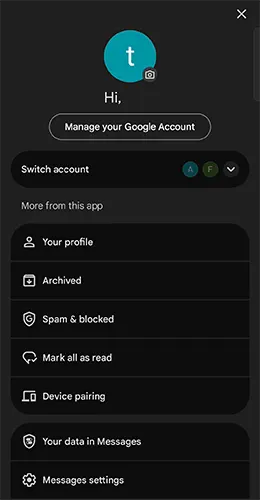
Scroll down the profile page and tap on Messages settings.
Inside the settings page, look for Protection & Safety.
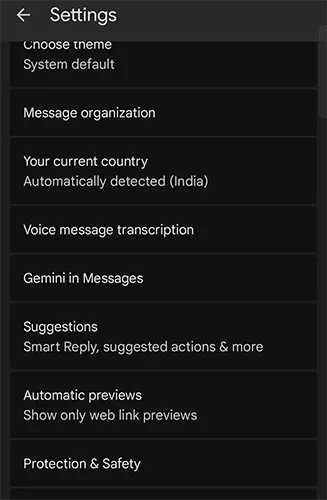
Tap on Protection & Safety to open its settings.
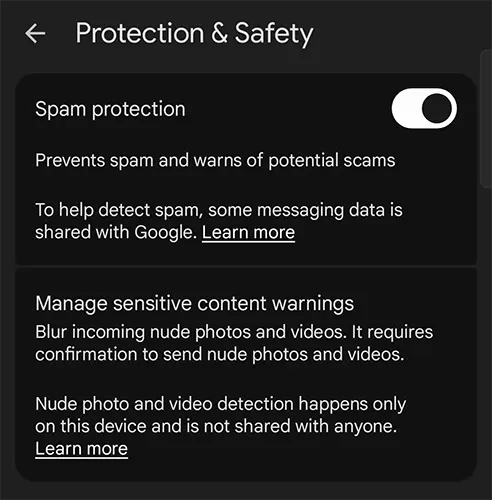
Now, tap on Manage sensitive content settings.
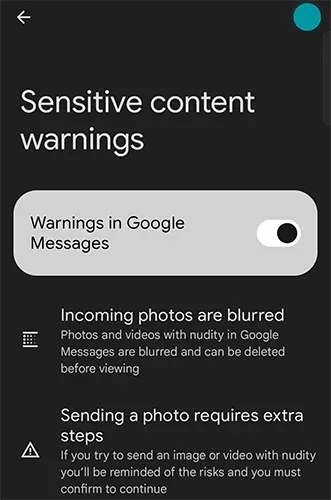
On the Sensitive content warnings page, you will notice that “Warning in Google Messages” is enabled by default.
This feature works by scanning photos and videos that you send or receive through Google Messages. If it detects any nudity or sensitive content, the media is automatically blurred. You will then be asked for confirmation before viewing, sending, or receiving such content.
While this feature can be extremely useful for children or shared family devices, it may not be necessary for adult users. The concern arises because, in order to detect such content, the system scans all images and videos involved in messaging.
Google states that this scanning happens locally on your device and that your data is not uploaded or shared. However, if you are still uncomfortable with any app scanning your personal photos and videos, you may want to disable or completely remove this component.
The good news is that you can uninstall this app.
How to Delete Android System SafetyCore
The app responsible for this scanning feature is called Android System SafetyCore. Follow these steps carefully to uninstall it:
Open Settings on your Android phone.
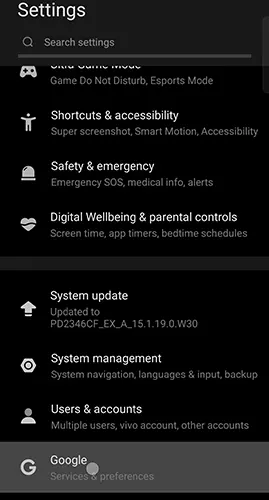
Scroll down and tap on Google.
On the Google services page, tap on All Services.
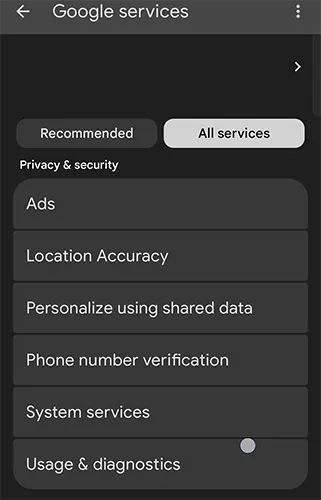
Under the Privacy & Security section, tap on System services.
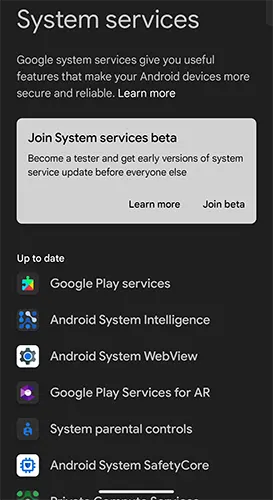
Scroll down and look for Android System SafetyCore.
Tap on Android System SafetyCore.
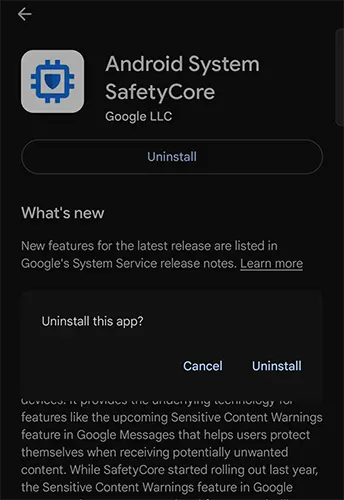
Now, tap on the Uninstall button.
Confirm the action when prompted.
Once uninstalled, the Android System SafetyCore app will no longer be active on your phone. You can verify this by checking the Not Installed apps list on your device.
Although Google introduces these features with good intentions mainly for safety and protection not every user is comfortable with background scanning of personal data. If you value privacy and prefer minimal system intervention, removing such apps is a valid choice.
By following the steps above, you can regain control over your Android phone and ensure that your photos and videos remain private.

Leave a Reply