• Home
  • About
  • Contact Us
  • Privacy Policy

Reveal That

Powered by Technology & Internet

  • Internet & Online Tools
  • Computer / Tech Tutorials
  • Tools
    • Case Converter Upper Lower Title Sentence Caps
    • HEIC to JPEG
    • Car Android Boot Logo Generator
    • Viofo Dashcam Video Combiner
    • Viofo Dashcam Organizer

How to Use Perplexity AI Pro Completely Free for 30 Days — 100% Legit & Easy Method

Written by:
Vjay
Published on:
October 22, 2025
Thoughts:
No comments yet

Here’s an exciting way to enjoy Perplexity AI Pro for 30 days absolutely free using a completely legal method.
Perplexity AI Pro

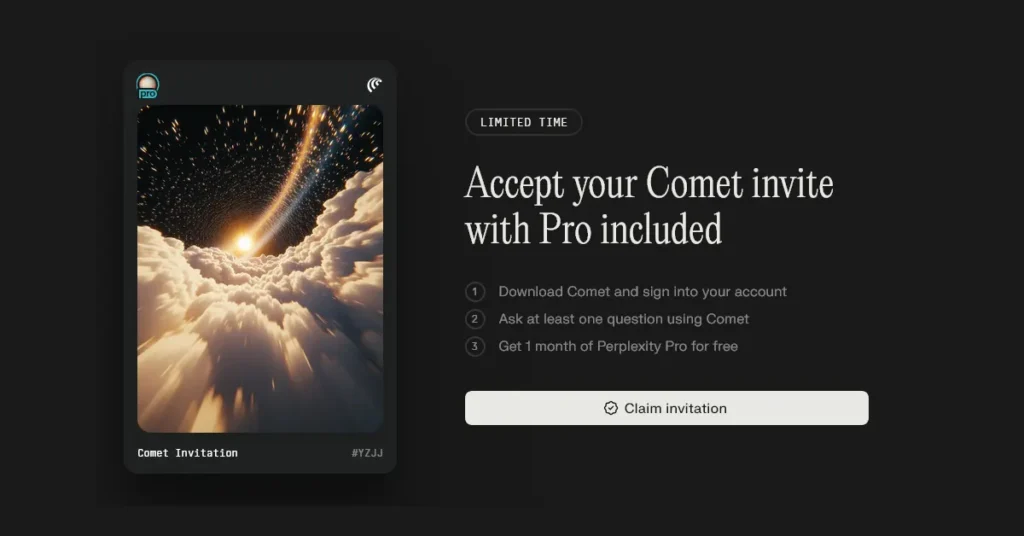
In partnership with Comet Browser, Perplexity AI is offering a Free Pro Plan for a limited time.

To claim your free Pro Plan, simply follow the detailed steps below.
And just to be clear — you don’t need to add any credit card or payment details to claim this 30-day free trial.

Perplexity AI Pro Free Access for 1 Month — Claim Your Invite in Minutes!

To unlock free access to Perplexity AI Pro for 1 month, click the link below:

Claim Free Perplexity AI Pro
  • A webpage will open displaying the message: “Accept your Comet invite with Pro included.”
    Click on the “Claim Invitation” button.Create a Perplexity account using your Google, Apple, or Email address.
  • Once your account is created, you’ll be prompted to download Comet Browser.
  • Click the Download button and install the Comet Browser on your PC or laptop.
  • After installation, launch the Comet Browser and sign in using the same account you just created.
  • Once logged in, ask your first question in Perplexity via Comet Browser.
    You may ask question like: What’s the best laptop under ₹50,000 in 2025?
  • After asking your first question, your account will automatically be upgraded to Perplexity AI Pro for 30 days — completely free!
Join us on Telegram

Categories: AI

About Vjay

Vijay is the founder of RevealThat.com, sharing practical and easy-to-understand content on technology and internet-related topics since 2015. His work focuses on real-world solutions that help users make better use of technology. Connect via the Contact Us page.

Leave a Reply Cancel reply

Your email address will not be published. Required fields are marked *

three × 2 =

RECENT POSTS

Flipkart Big Billion Days Sale 2026: Dates, Bank Offers & Best Deals

Amazon Great Indian Festival 2026: Sale Date, Deals & Offers

How to Change Alarm Volume on iPhone Separately From Ringtone

How to Take a Photo From a Video on iPhone | iOS 27

How to Remove the Microphone Button from Messages on iPhone

How to Reset Sony Google TV to Factory Settings

How to Eject USB Drive from Sony Bravia Google TV Safely

How to Install and Uninstall Apps on Sony Google TV

How to Activate BSNL Free OTT Subscription on BSNL Fibre Broadband

How to Separate Front and Rear Dashcam Videos on PC Without Selecting Files One by One

© 2026 · RevealThat.com · Sitemap · All trademarks & logos belongs to their respective owners

Jai Mata Di

ॐ ऐं ह्रीं क्लीं चामुण्डायै विच्चे|